1.7 Sharing a project
Steps:
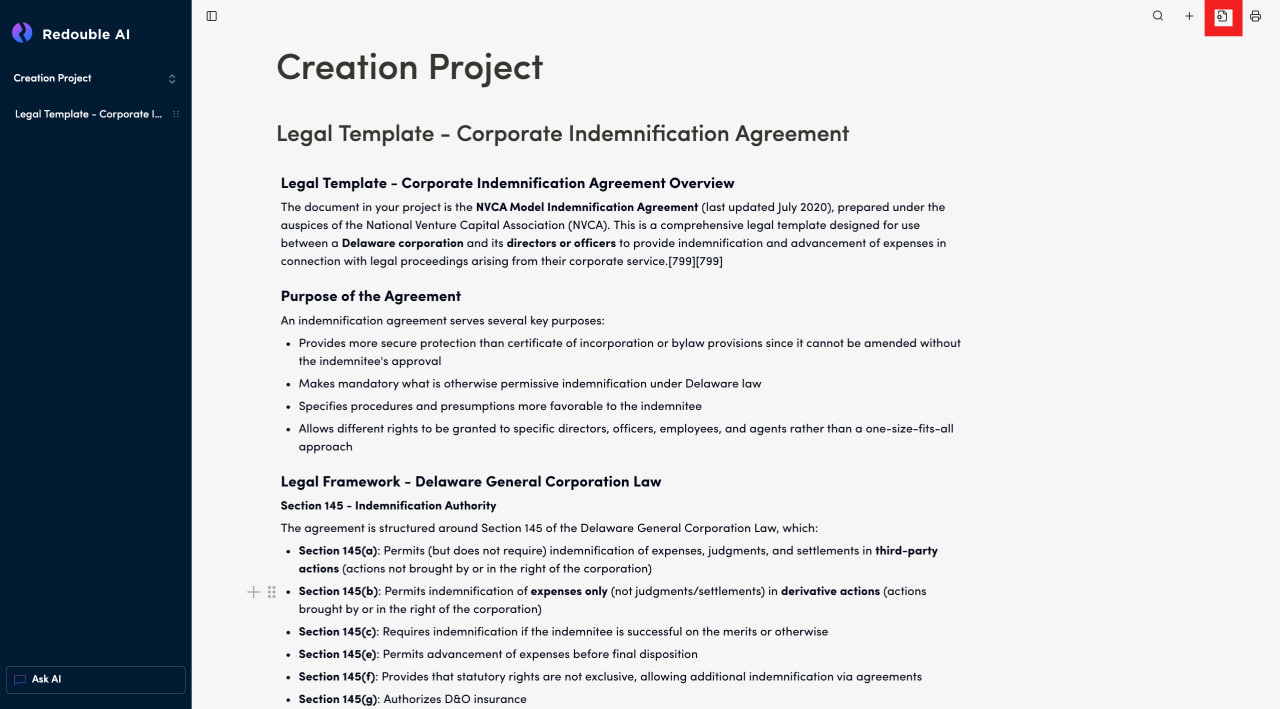
- Click on the "Document Settings" icon in the top toolbar

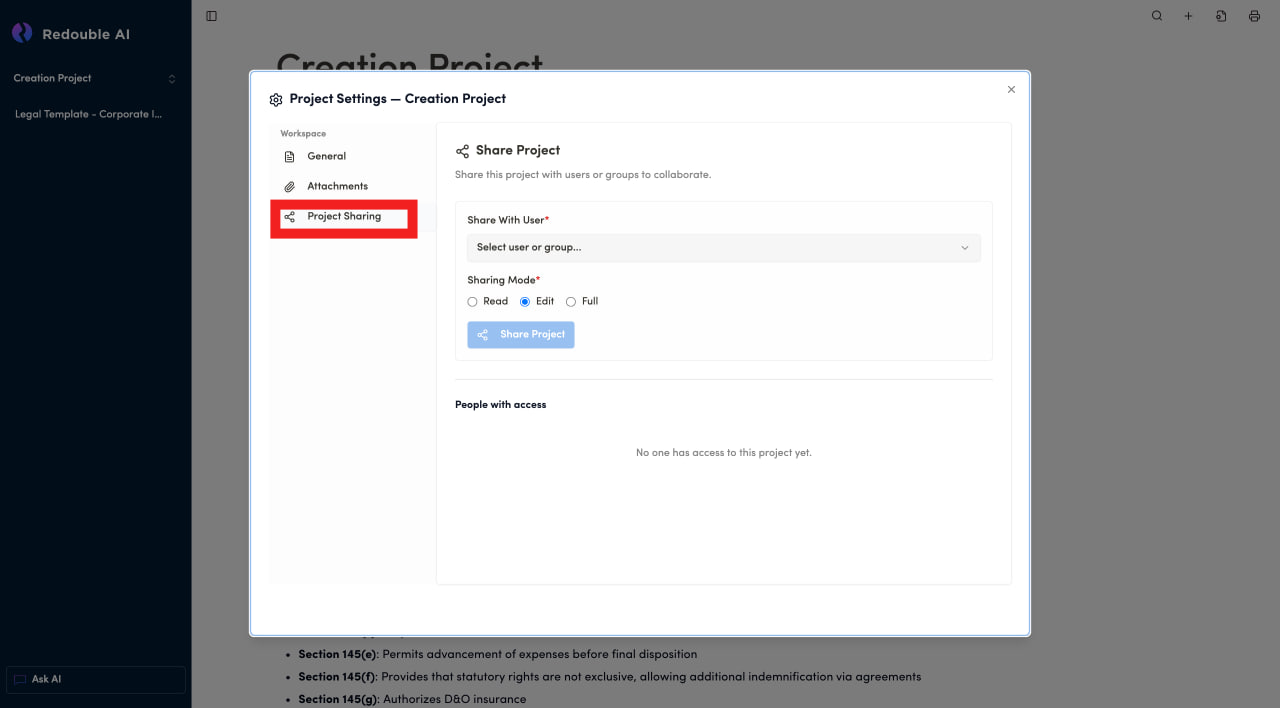
- In the dialog window, select "Project sharing" in the "Workspace" list

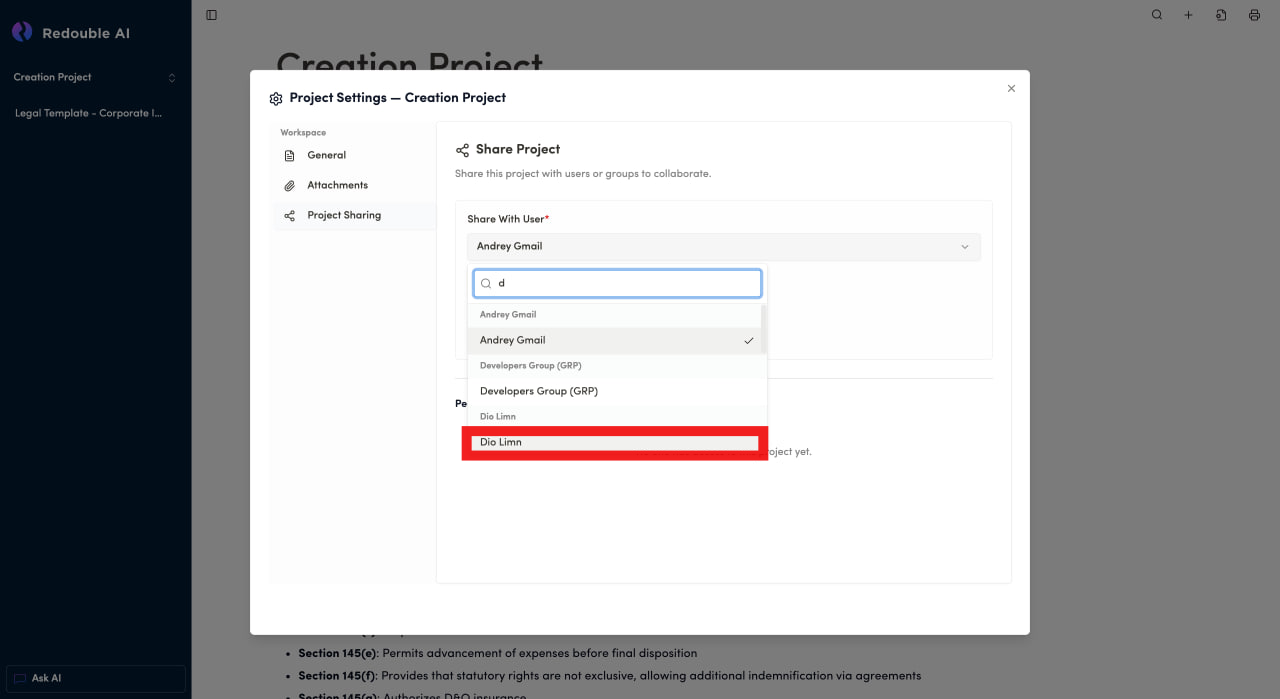
- Click on the "Select user or group" dropdown
- Type name of user to share project with
- Select user from the list

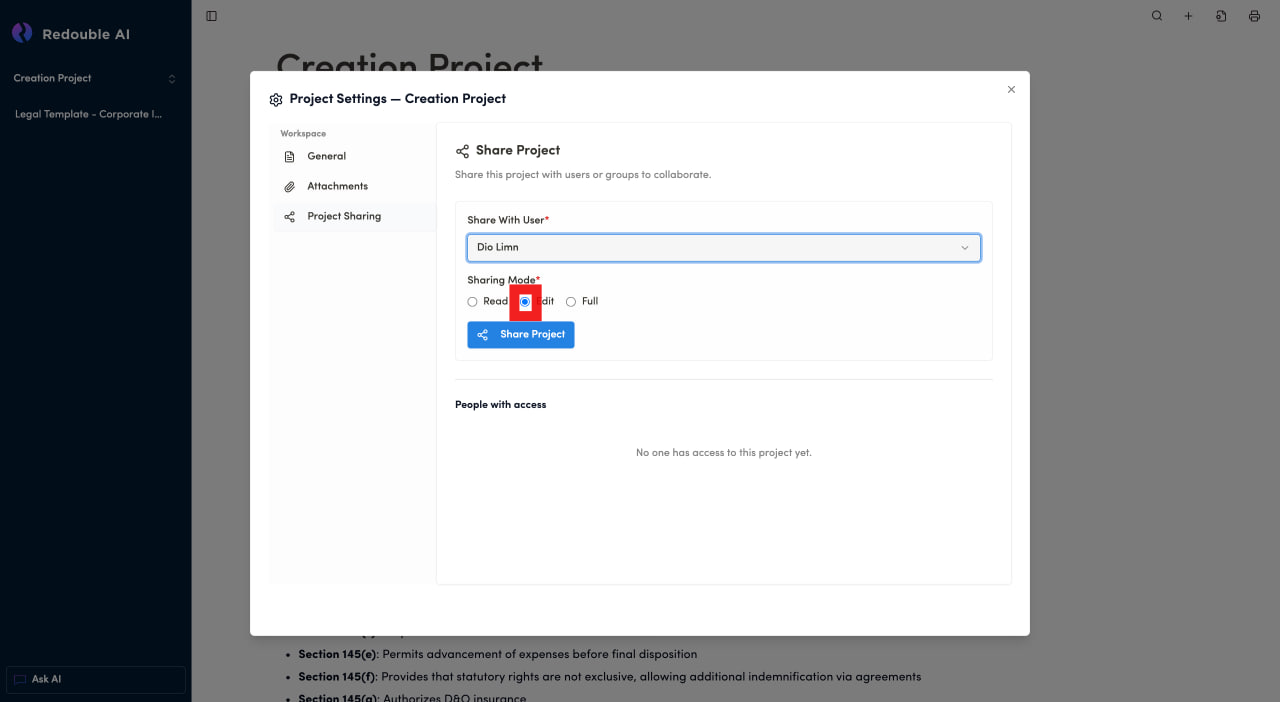
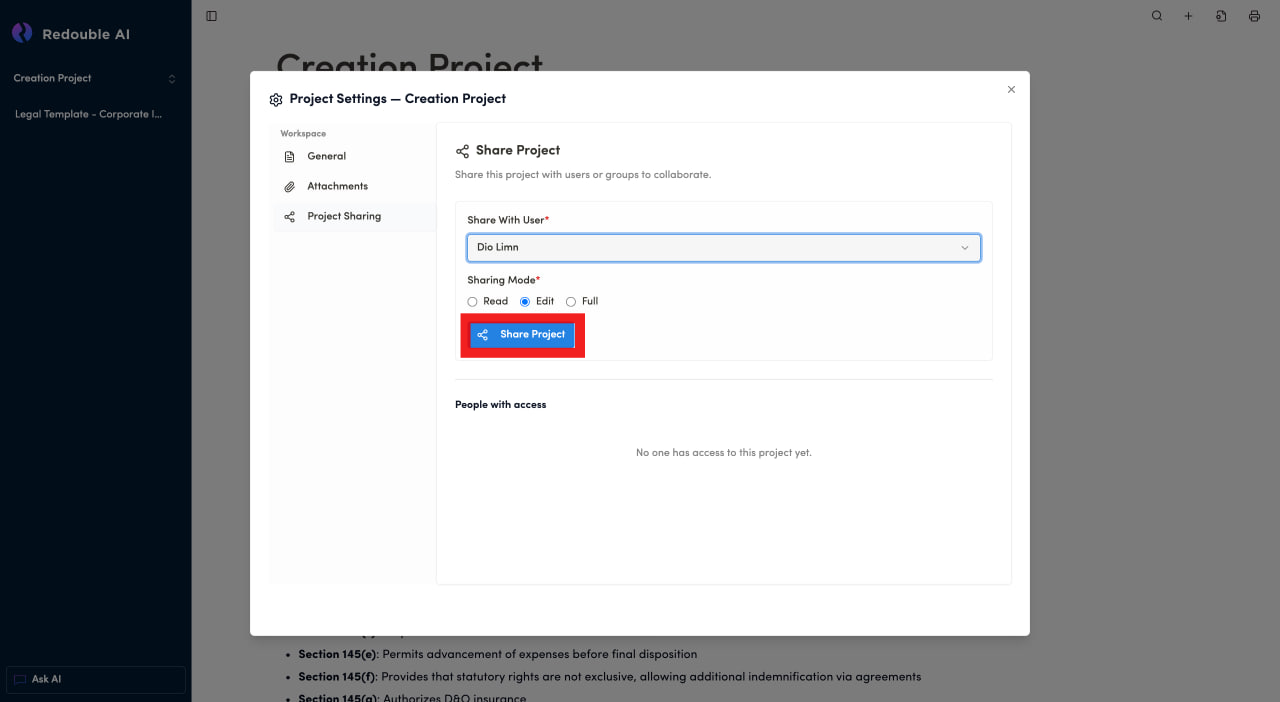
- Select Sharing Mode

- Click "Share Project"

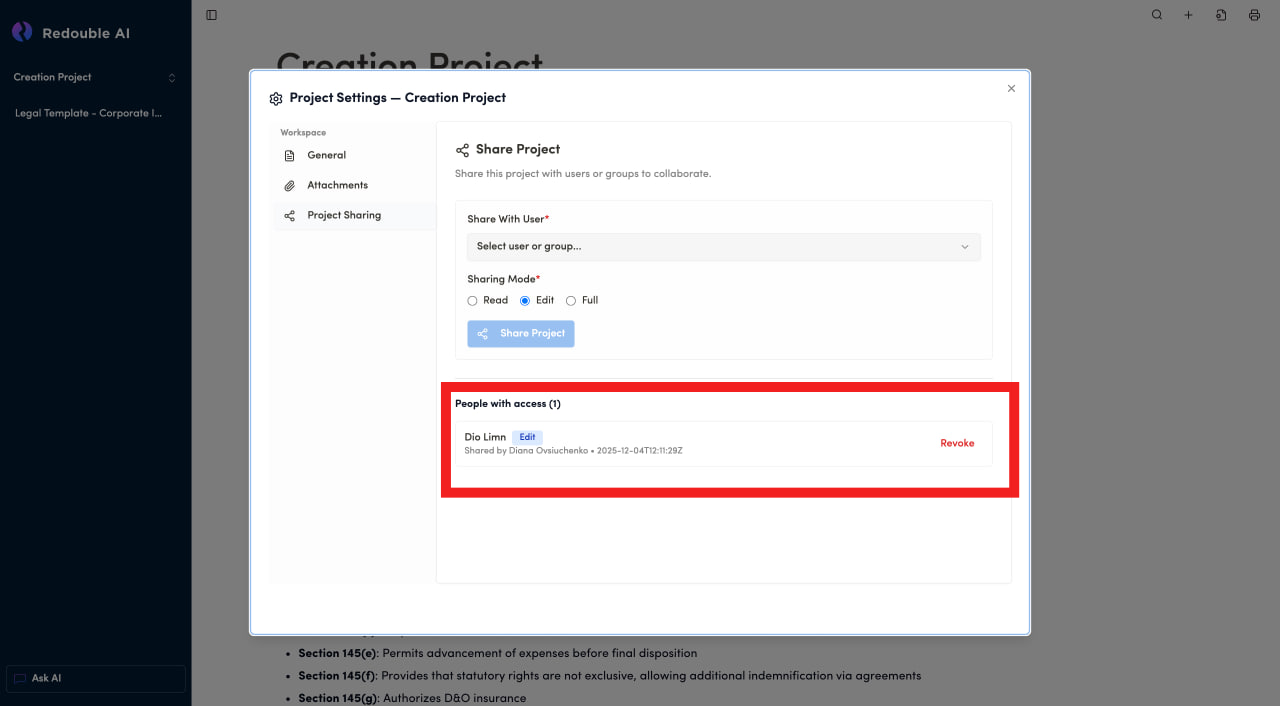
- See the user added to the "People with access" list.

If you want to remove the access to the project, you have to:
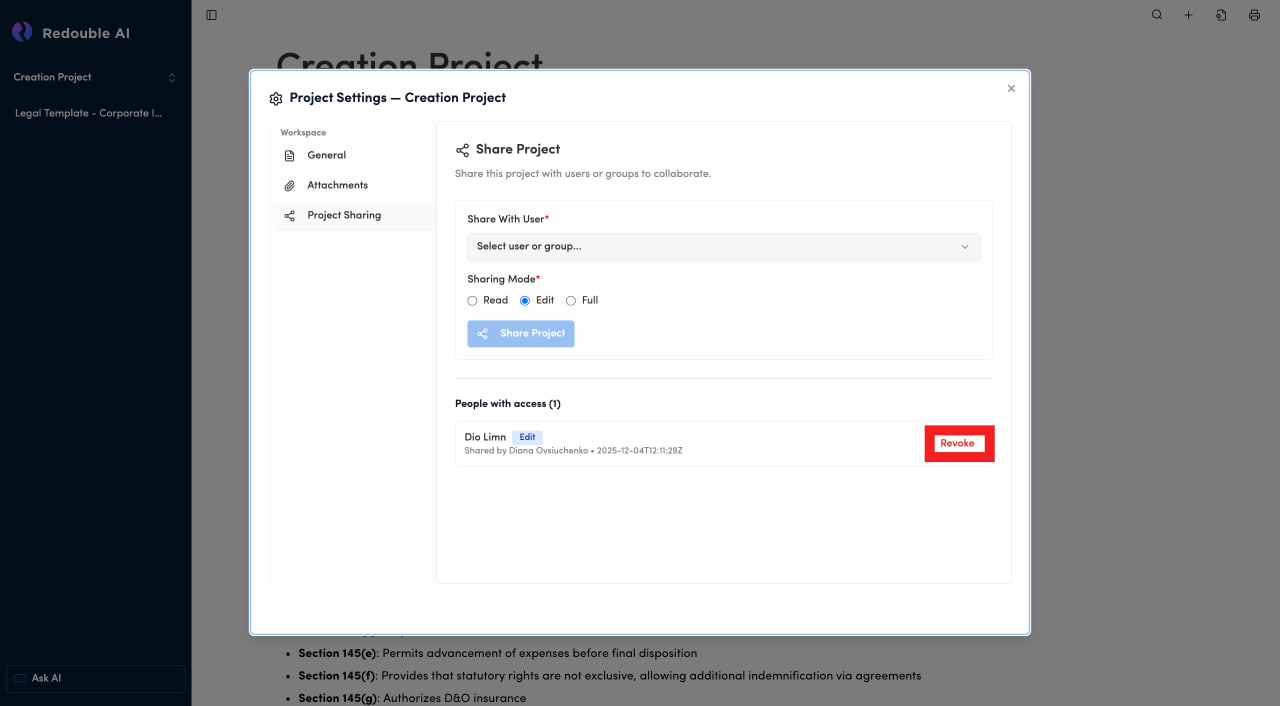
- Find the user you want to remove access from in the "People with access" list
- Press "Revoke" button

For more detailed information about components on the page, please view 3.3 Project Sharing