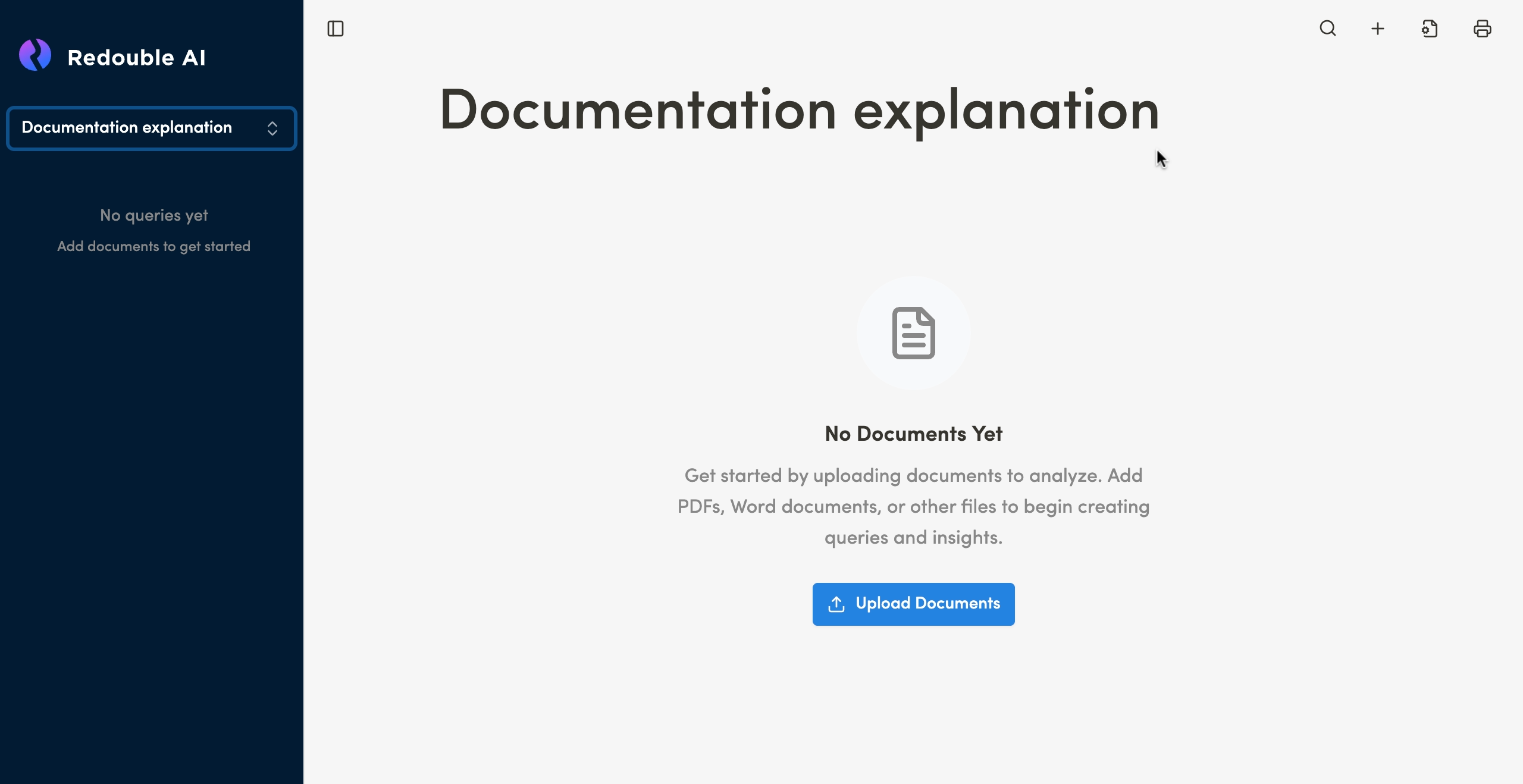
1.1 Creating a project
Preconditions:
- You are logged into the Redouble AI system
- You have permissions to create projects
Steps:
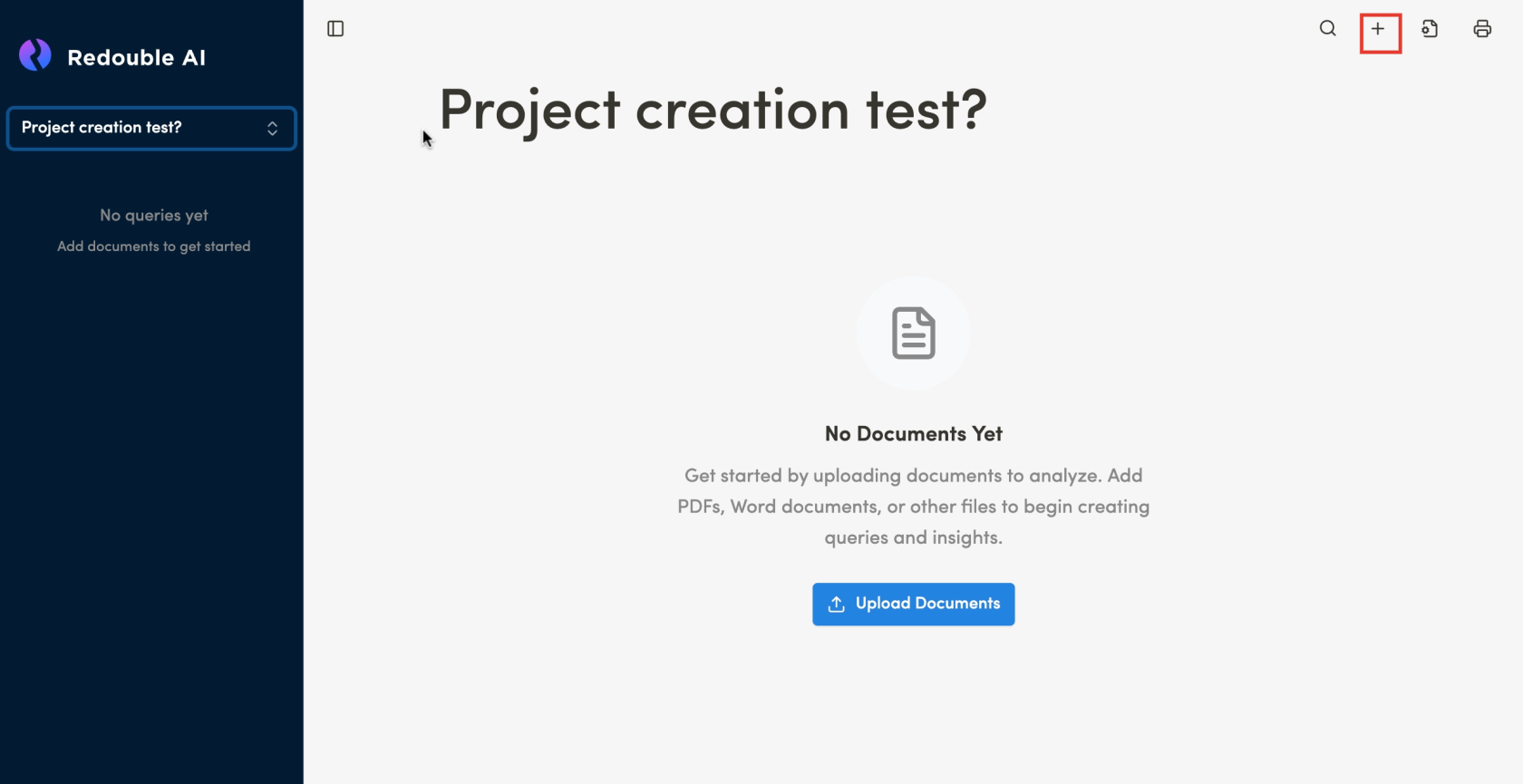
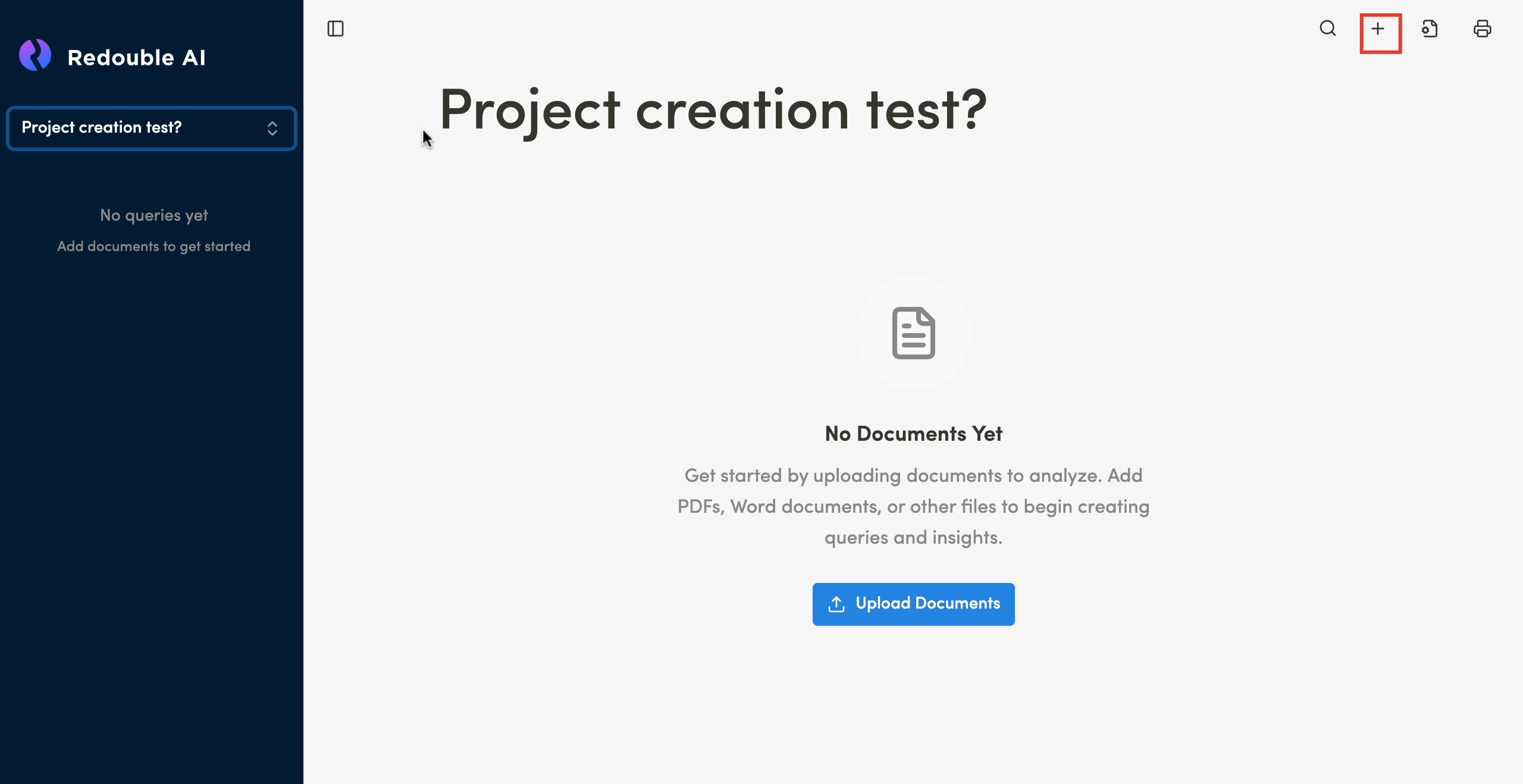
- Click the "+" icon button (New Project) in the top toolbar
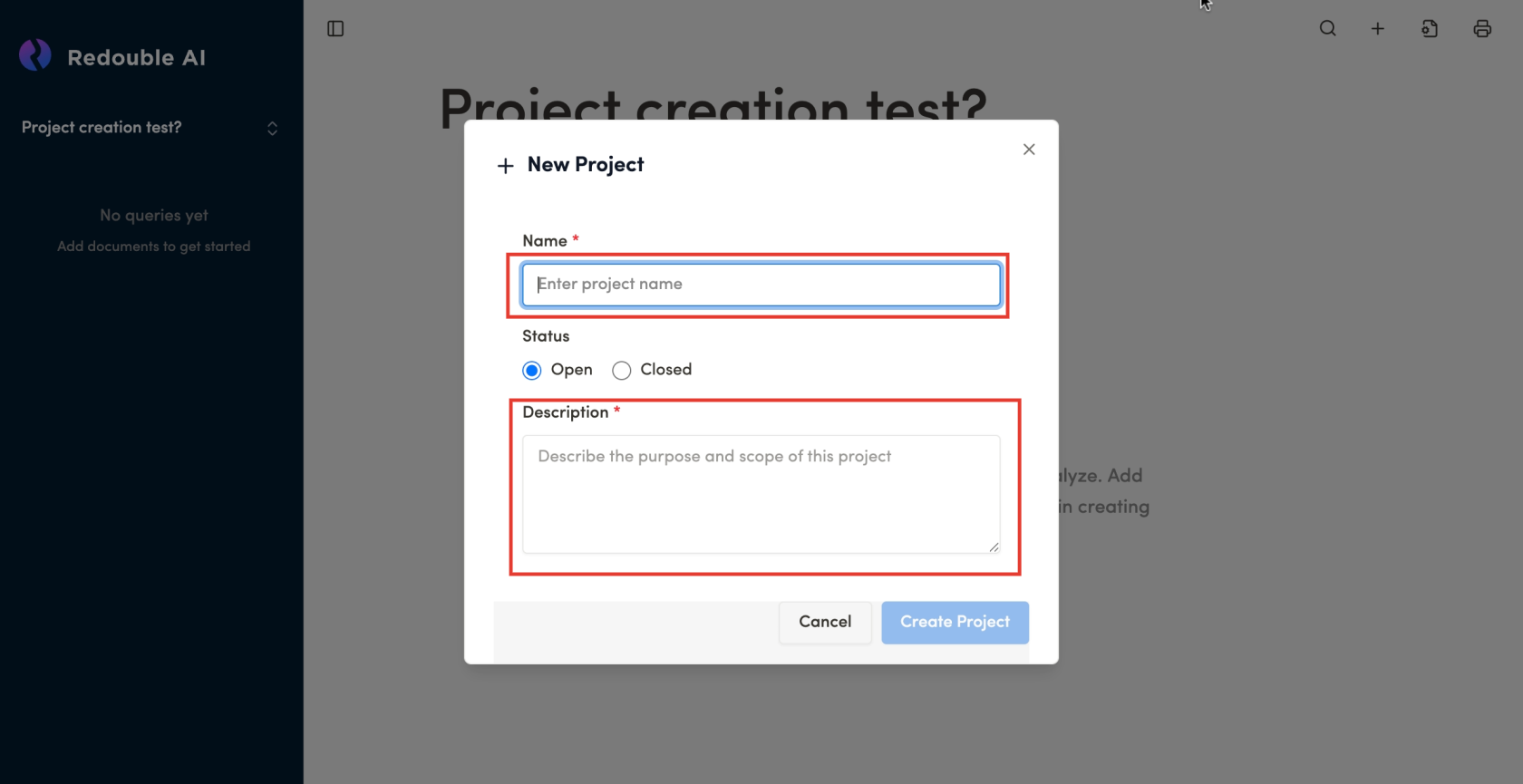
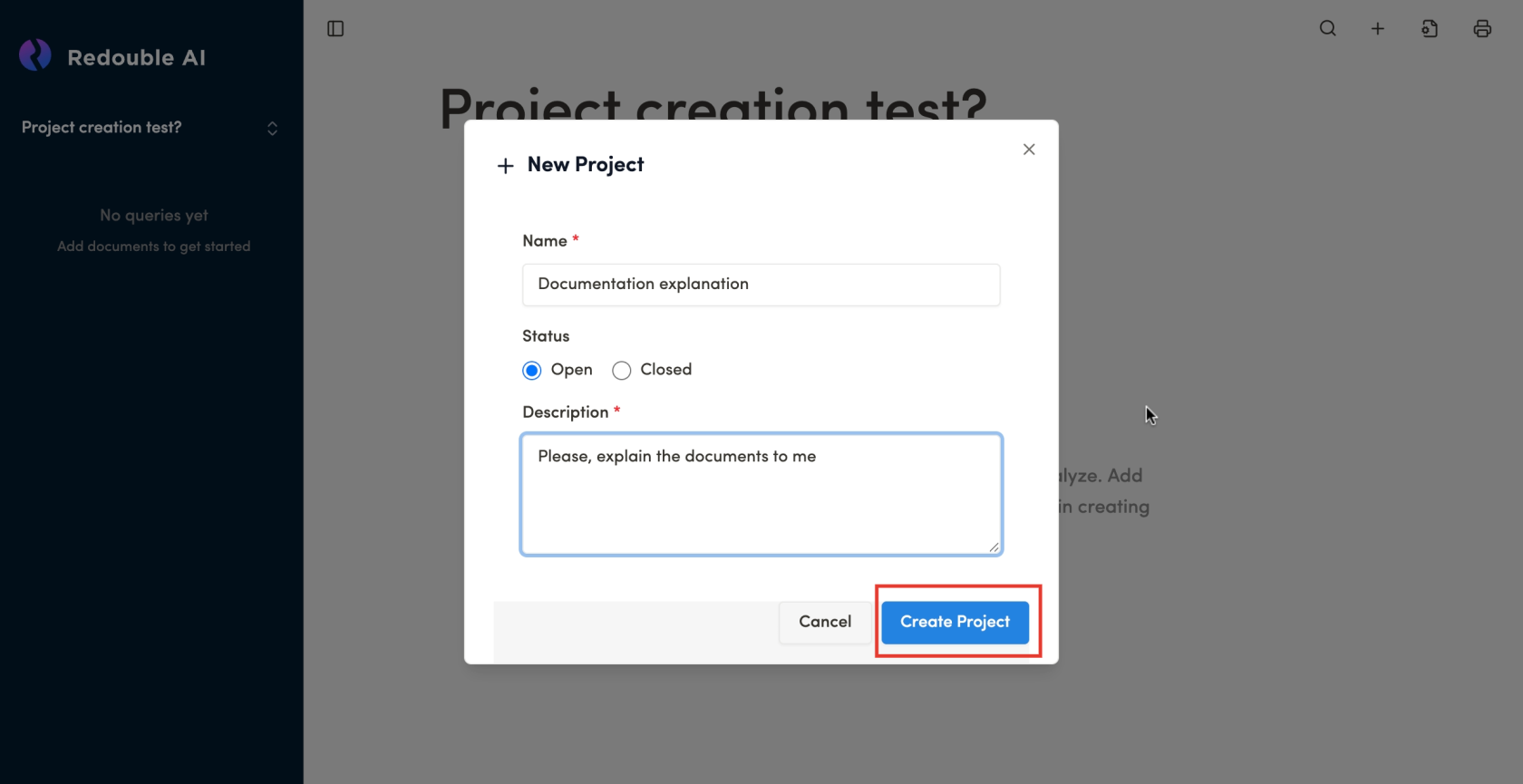
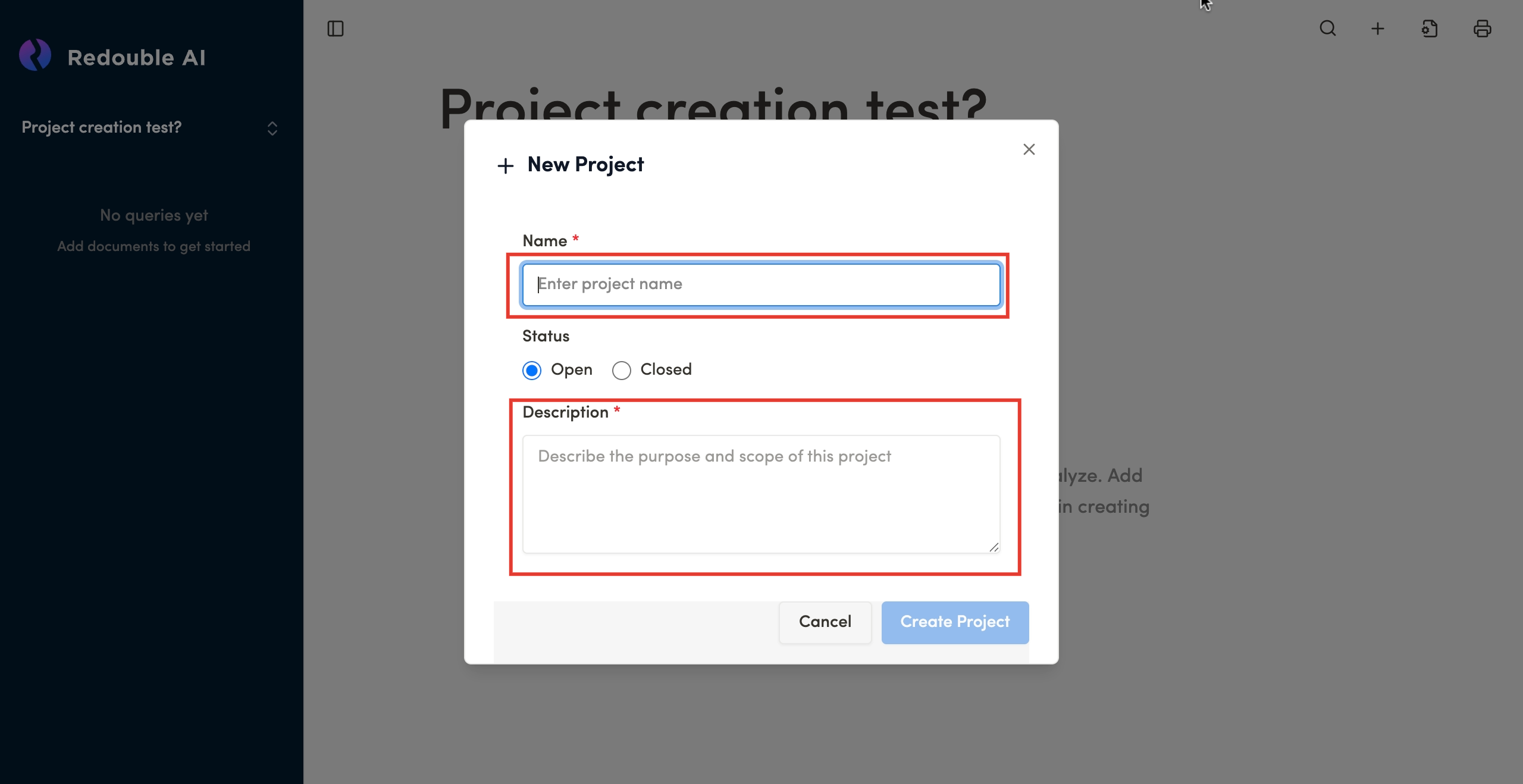
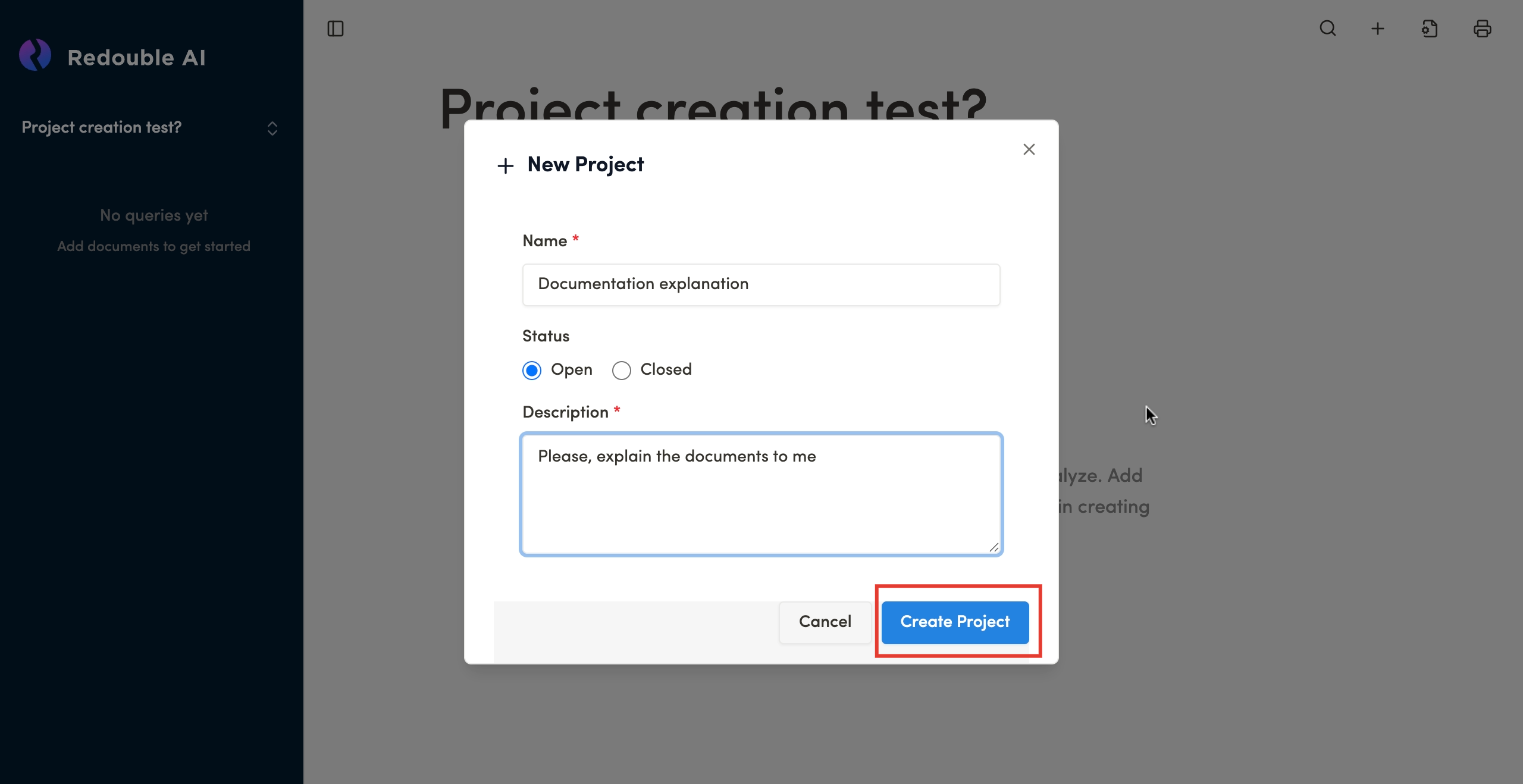
- In the "New Project" dialog window, fill in the required fields:
- Name — enter the project name
- Description — describe the purpose of the project
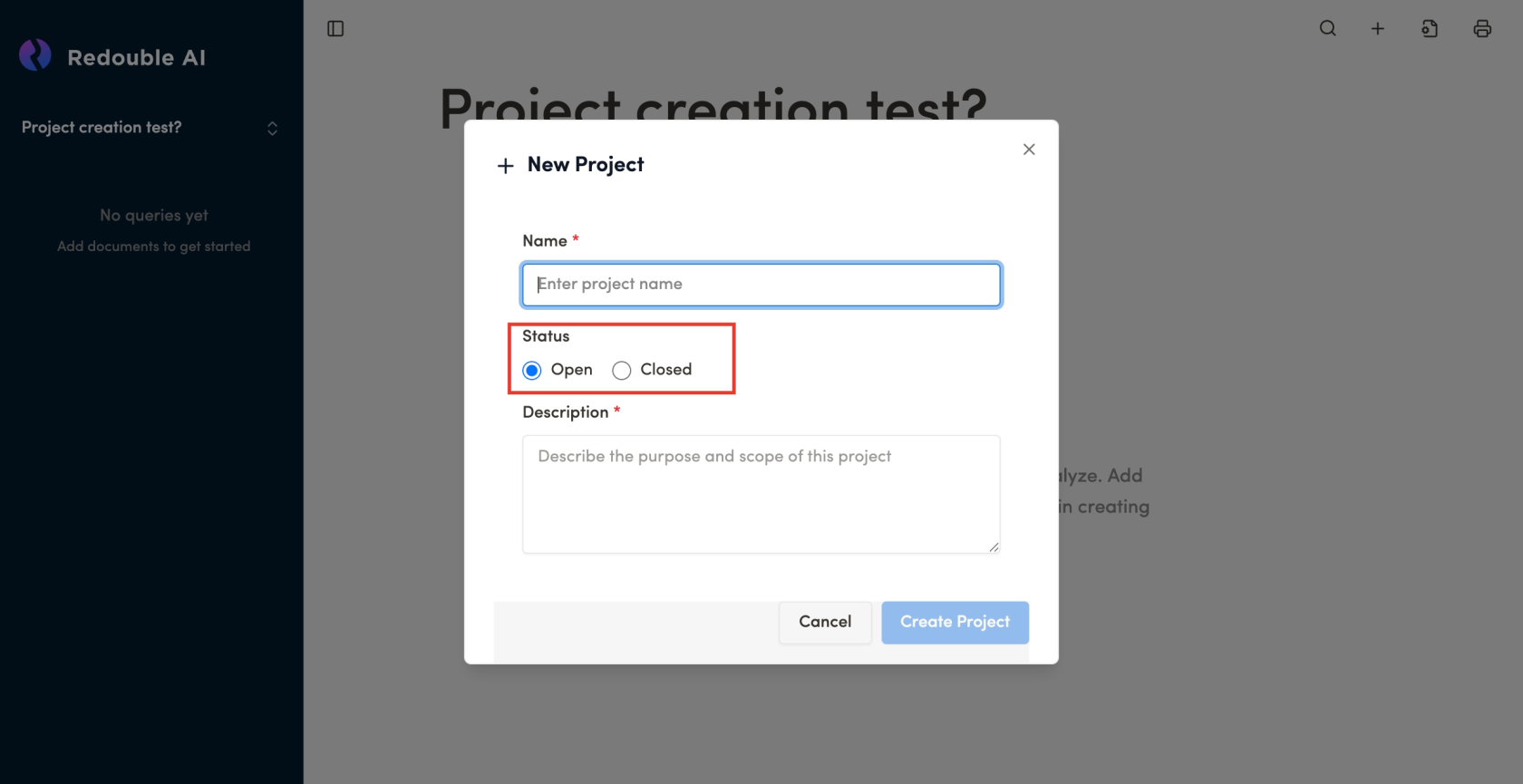
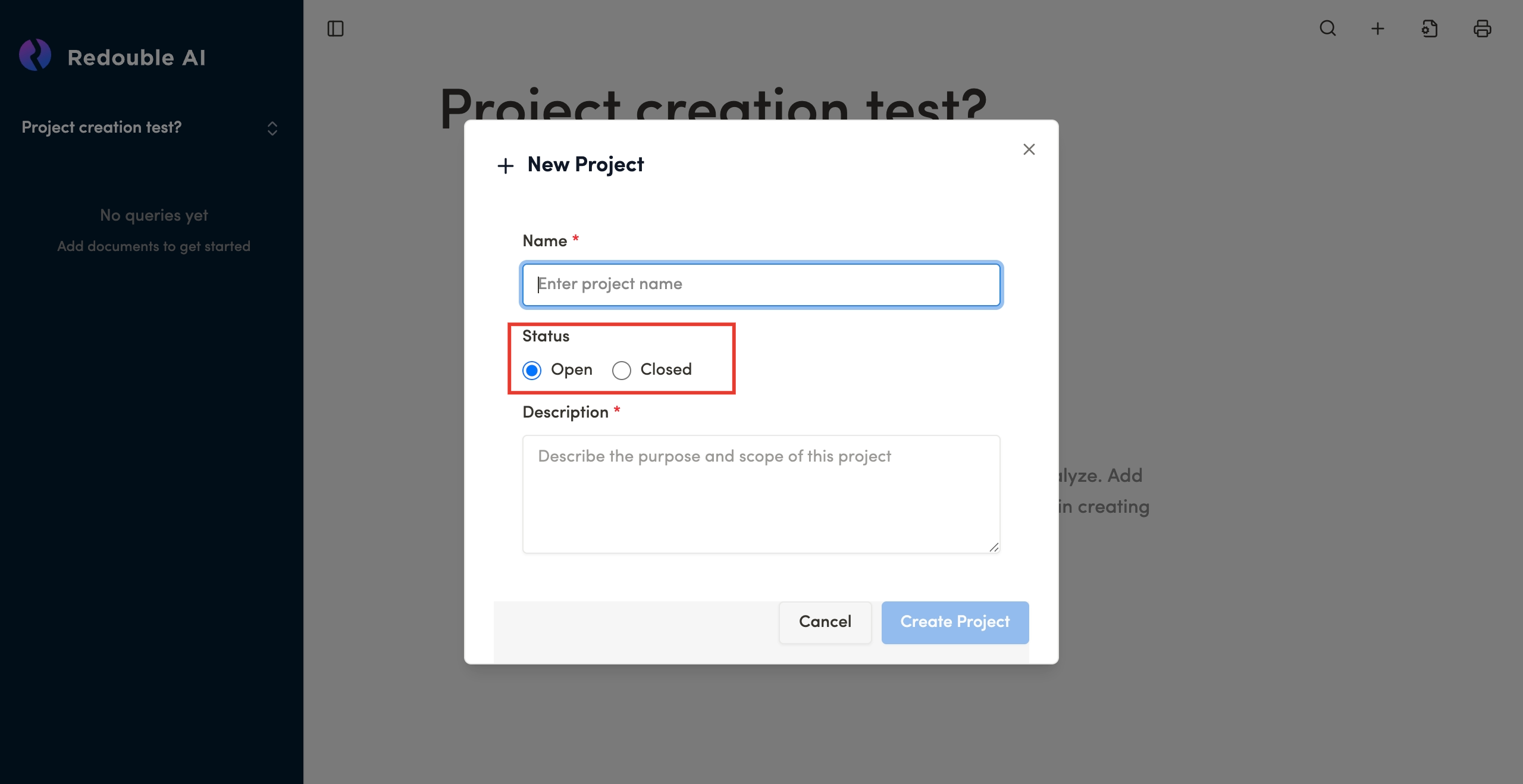
- Select the project status:
- Open (default) — project is active
- Closed — project is completed
- Click the "Create Project" button
Result: The project is created and automatically opened for work. You will be redirected to the project's main page where you can add documents and create questions for analysis.