
1.4 Upload documents to the newly created project
Preconditions:
- You are logged into the Redouble AI system
- You have a newly created project with no documents currently attached
Steps:
-
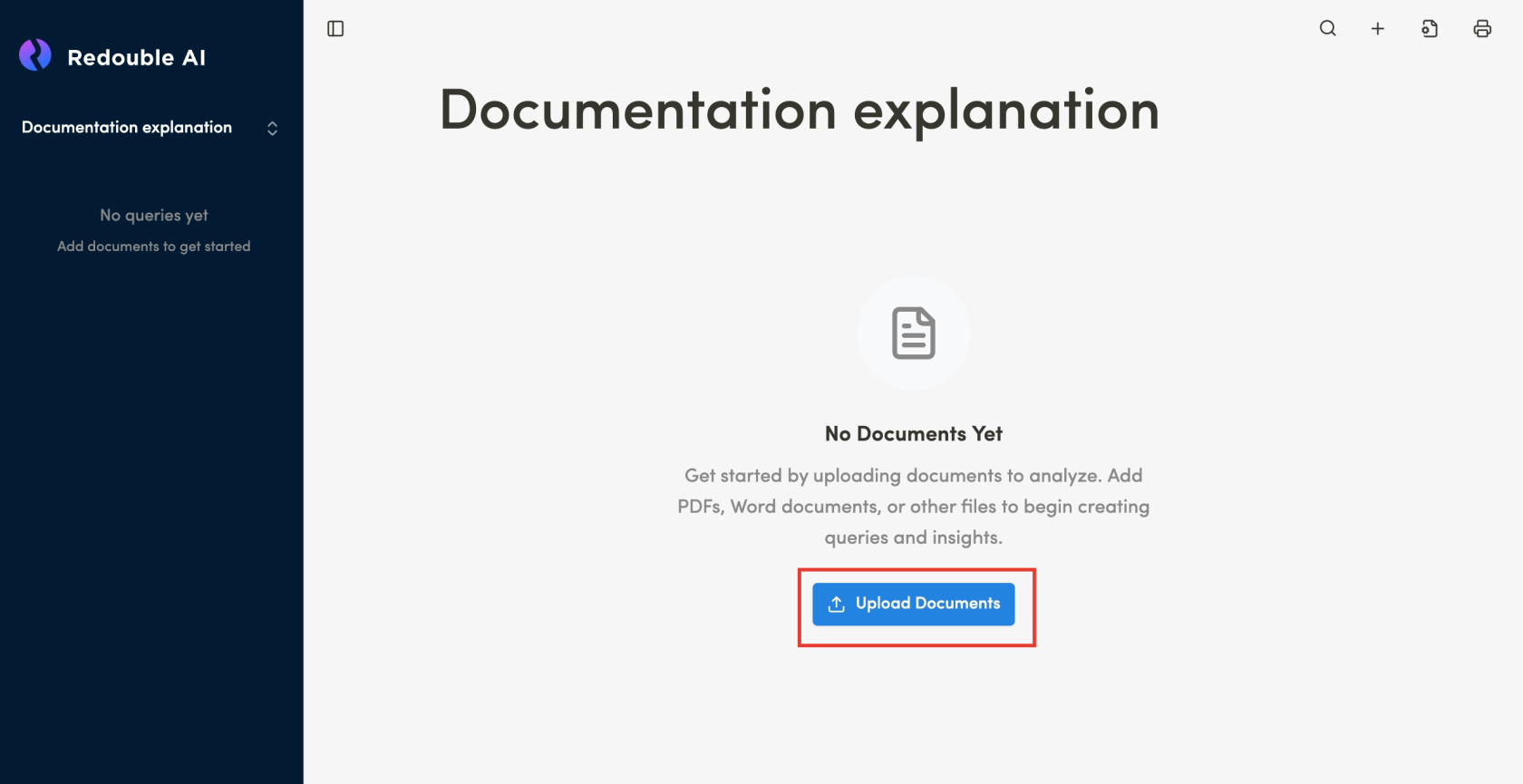
Click the "Upload Documents" button
-
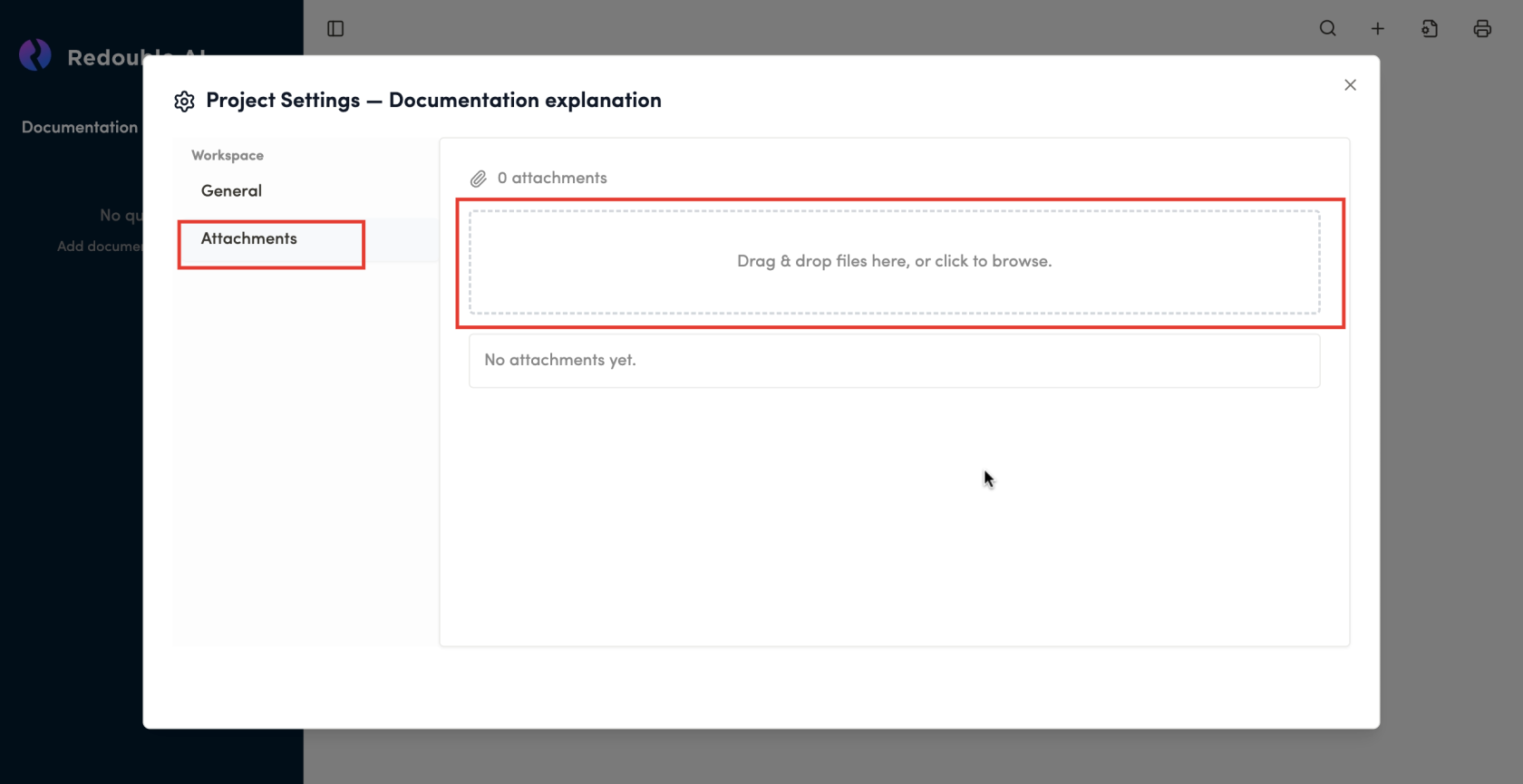
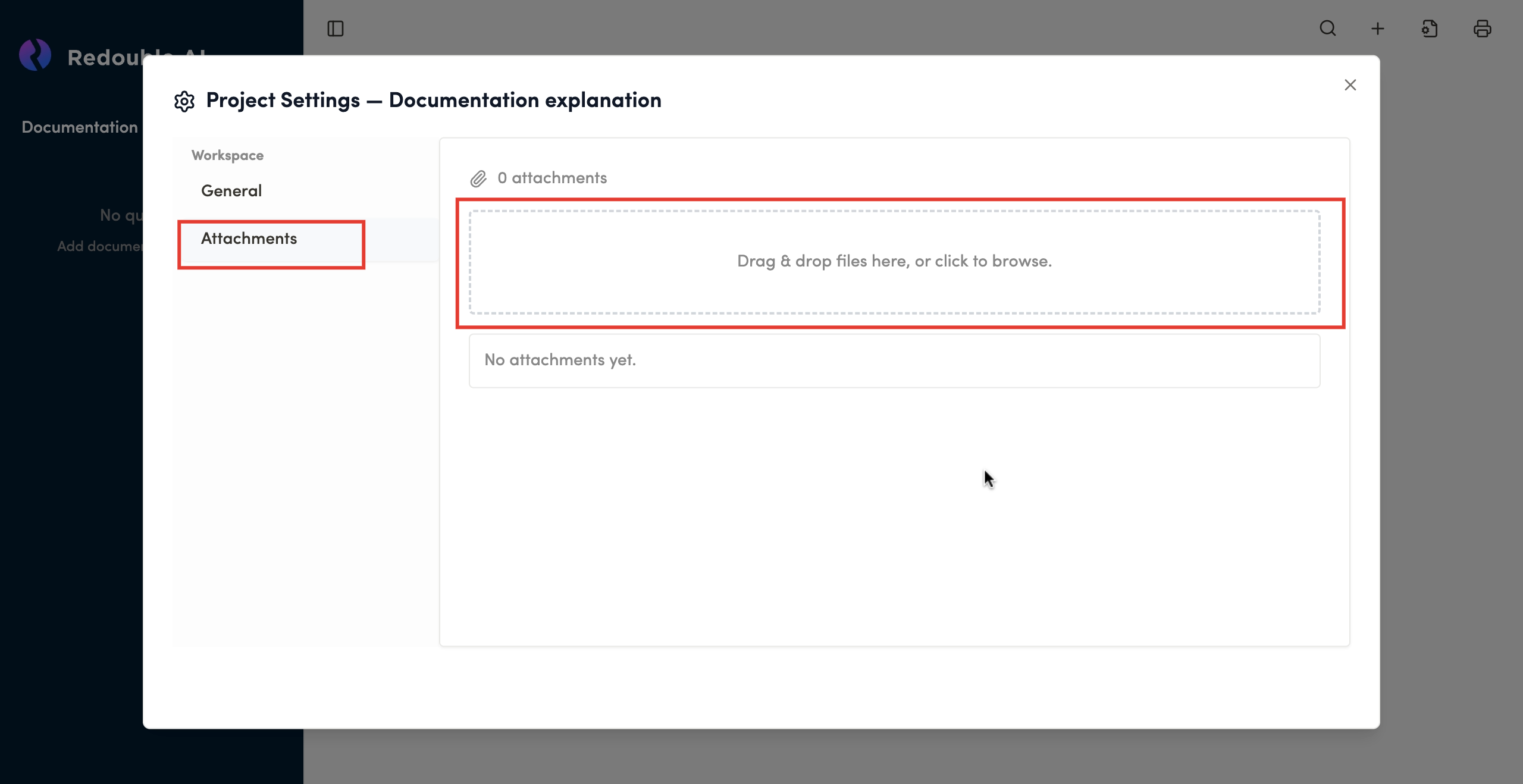
In the dialog window, select "Attachments" in the "Workspace" list, click on the field to select files from your computer or drag files and documents directly into the field
-
Wait for the upload to be completed and see documents added to the list
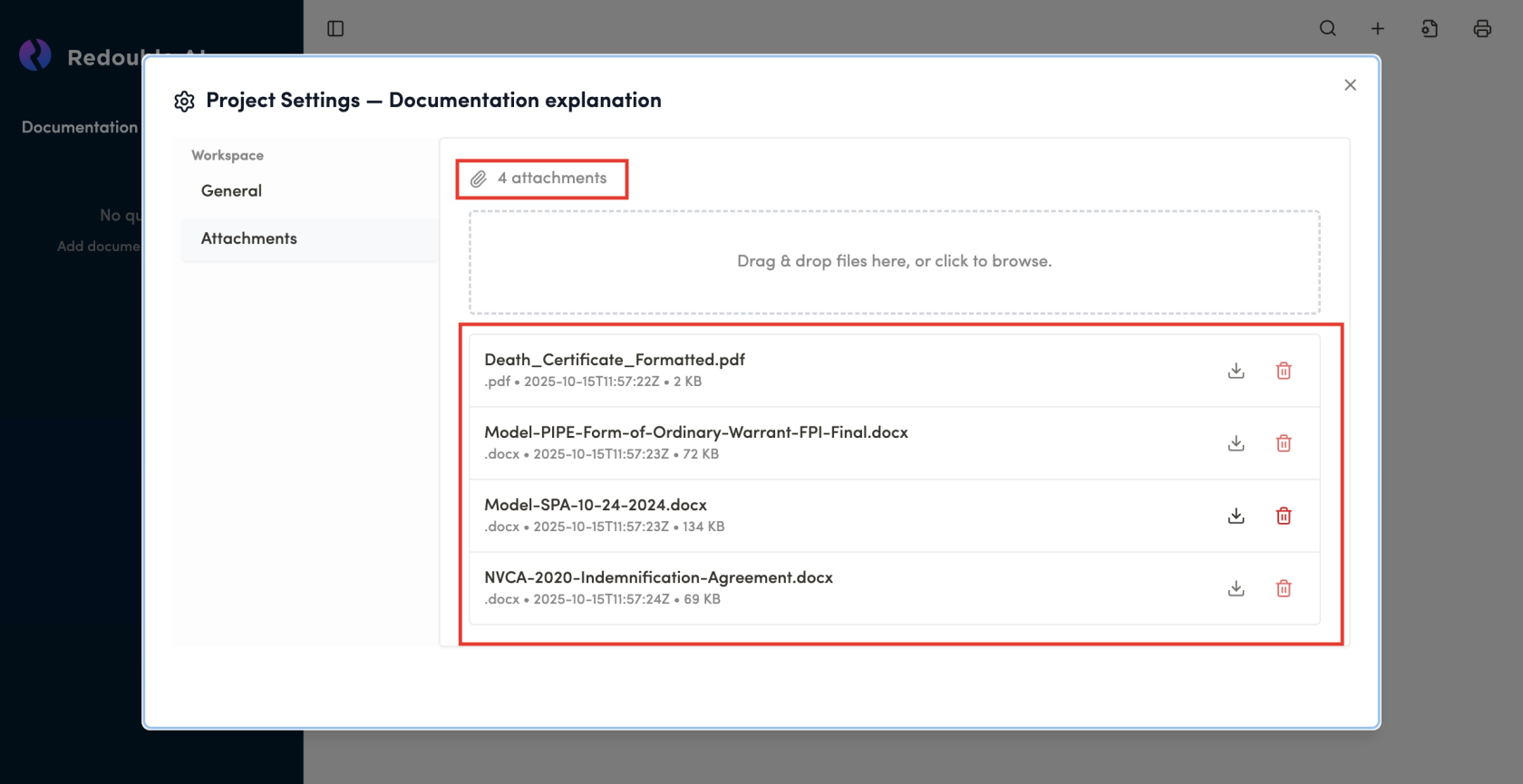
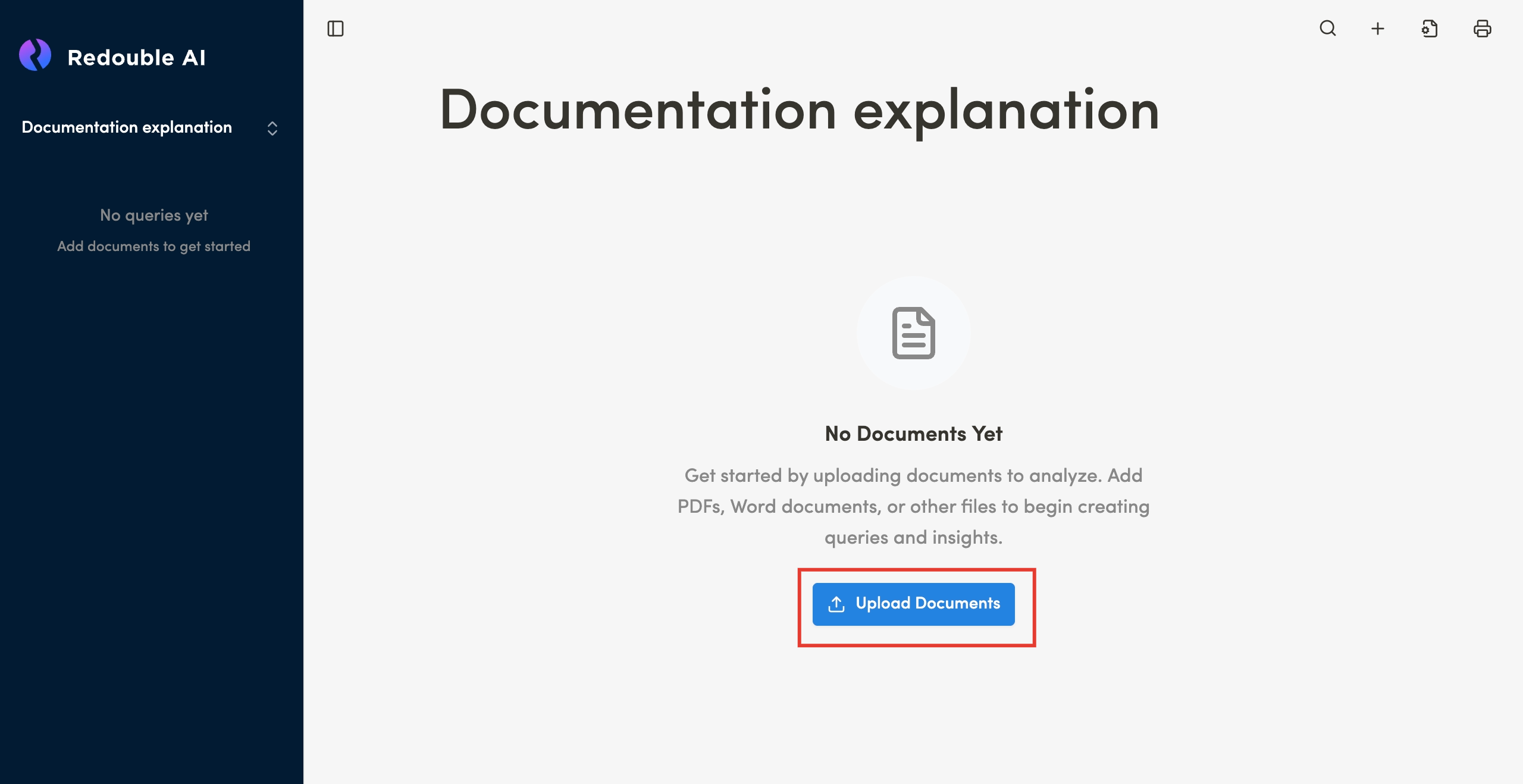
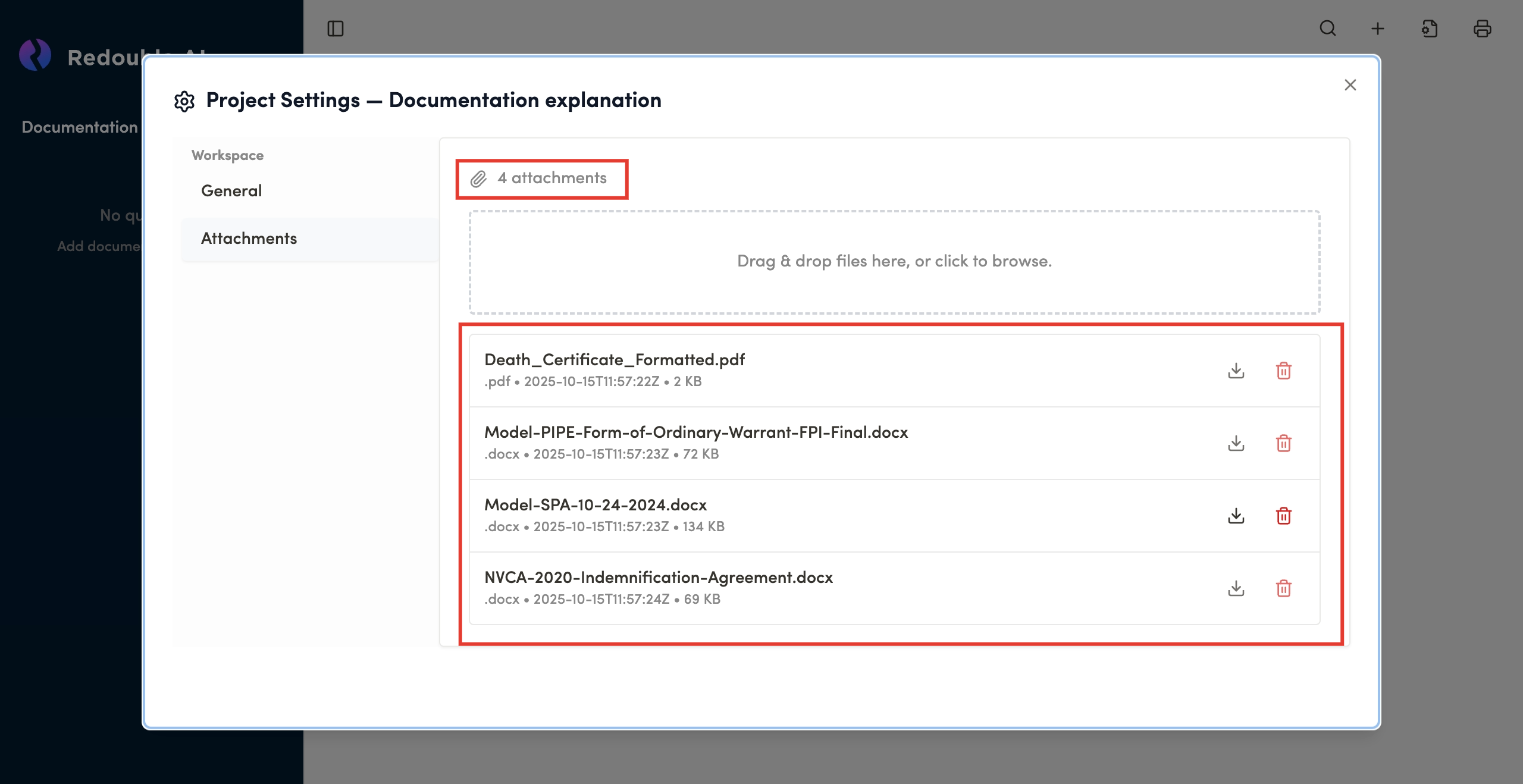
Result: Documents have been successfully attached to the project.
Note: Documents may need 2-3 minutes to ingest.