
2.3 Question options
Prerequisites:
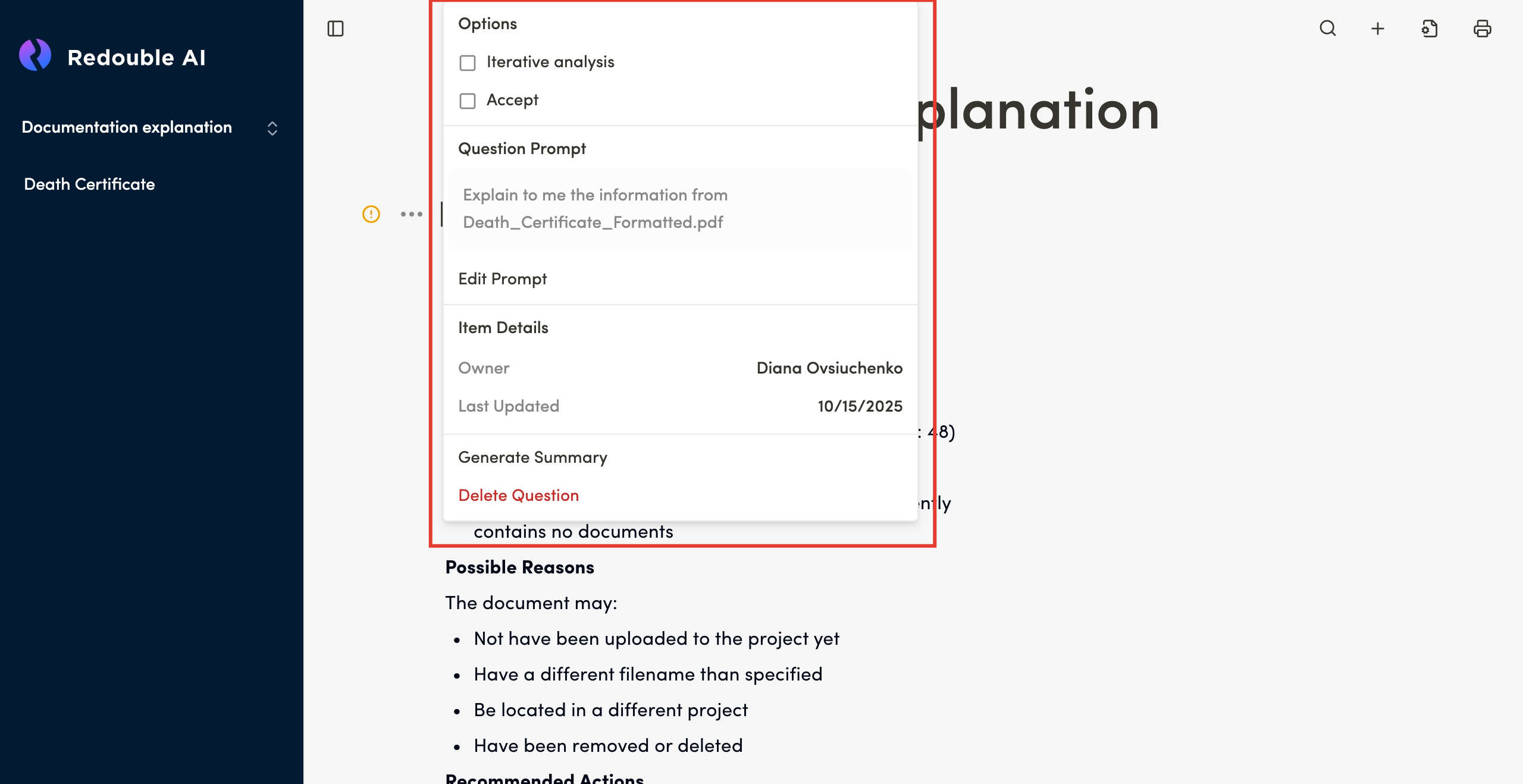
Iterative analysis
- Type: Checkbox
- Purpose: Enables step-by-step document analysis for deeper research
- Default: Disabled
Accept
- Type: Checkbox
- Purpose: Automatically accepts the generated answer without manual confirmation
- Default: Disabled
Prompt Displaydisplay
- Shows the current research prompt text
Displayeddisplayed in a gray text block- Example: "find the sections in documents that mention healthcare and explain them one by
one."one"
Edit Prompt Buttonbutton
- Allows you to modify the prompt text
- When the prompt is changed, the next regeneration will use the new text
- Click to open the prompt editor
Steps to edit:
- Click "Edit Prompt"
- Make necessary changes to the text
- Save the changes
- The updated prompt will be used
forto generate futureanswer generationsanswers
Owner
- Displays the name of the user who created the question
- Example:
DianaDr.OvsiuchenkoJohn Smith - Purpose: Track question authorship for collaboration and accountability
Last Updatedupdated
- Shows the date and time of the last update
- Format: MM/DD/YYYY (e.g., 10/
13/14/2025 for October 14th, 2025) UpdatesUpdated when:AnswerAn answer is regeneratedPromptA prompt is editedOptionsAny options are changedManual edits are made to theThe answer is manually edited
Generate Summarysummary
How it works:
- Click "Generate Summary"
SystemThe system analyzes the full answerExtractsThe system extracts key points and main conclusionsPresentsAnd presents a concise summary