
2.4 Deleting a question
Prerequisites:
- You are logged into the Redouble AI system
- You have a project open with at least one question
- You have the permission to delete questions
Steps:
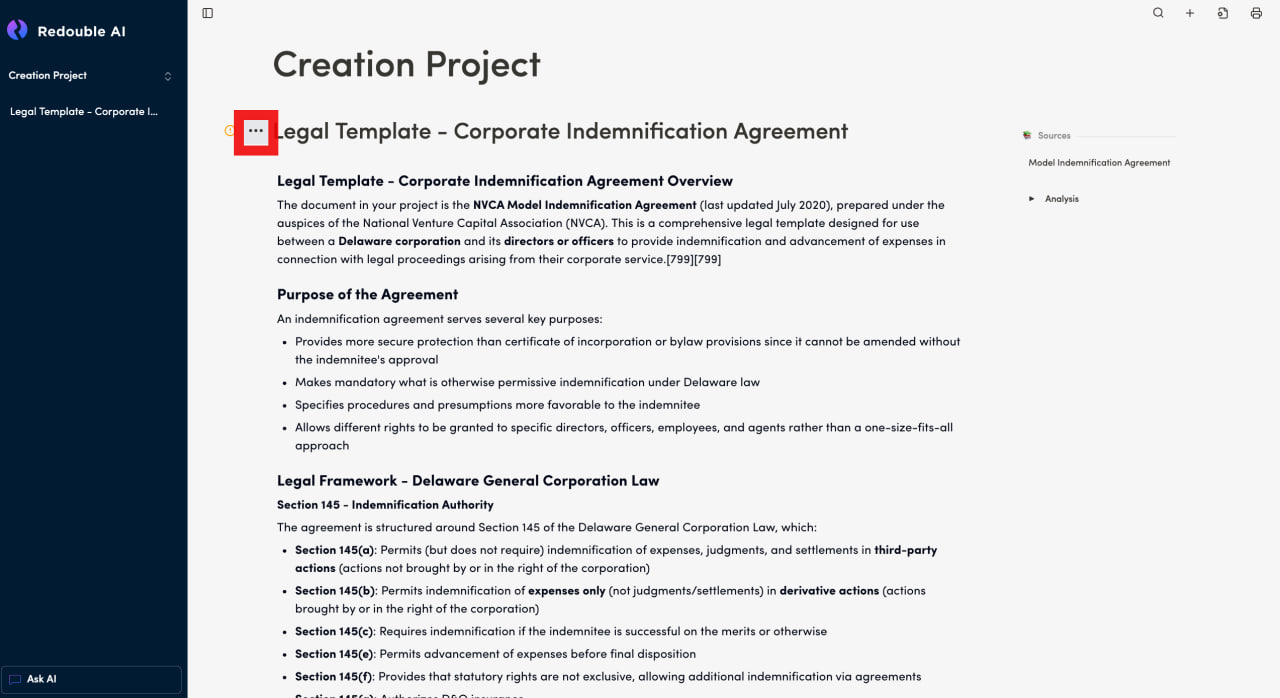
- View the question you would like to delete
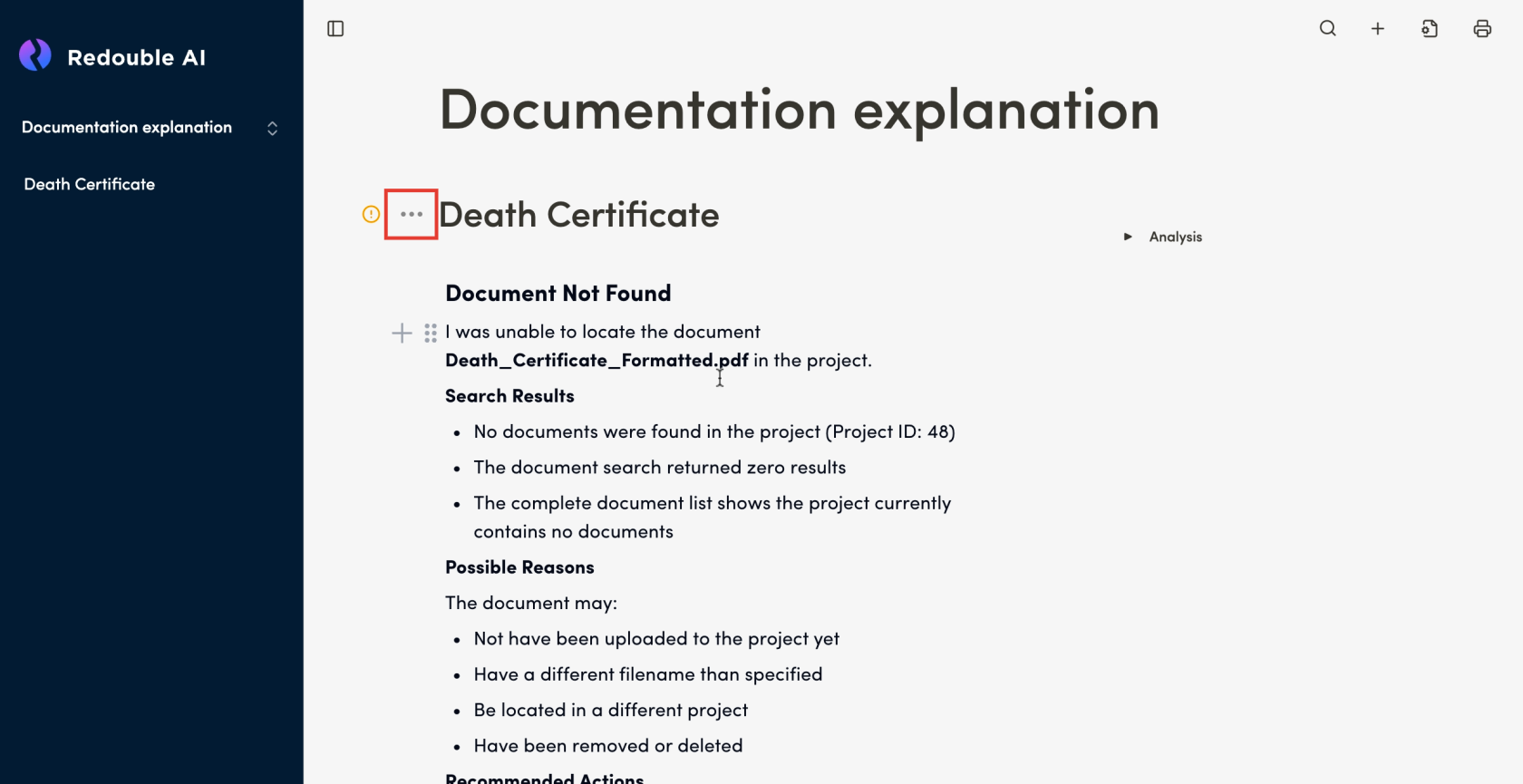
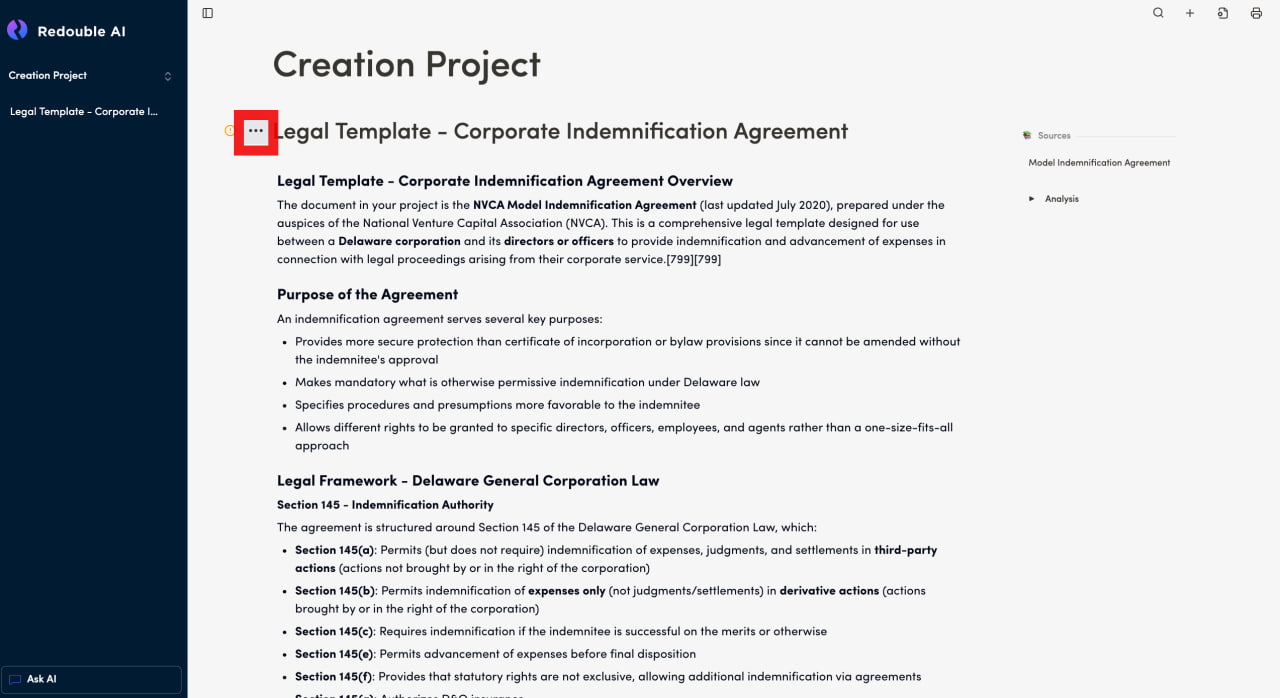
- Click the "Document options" button to the left of the question title
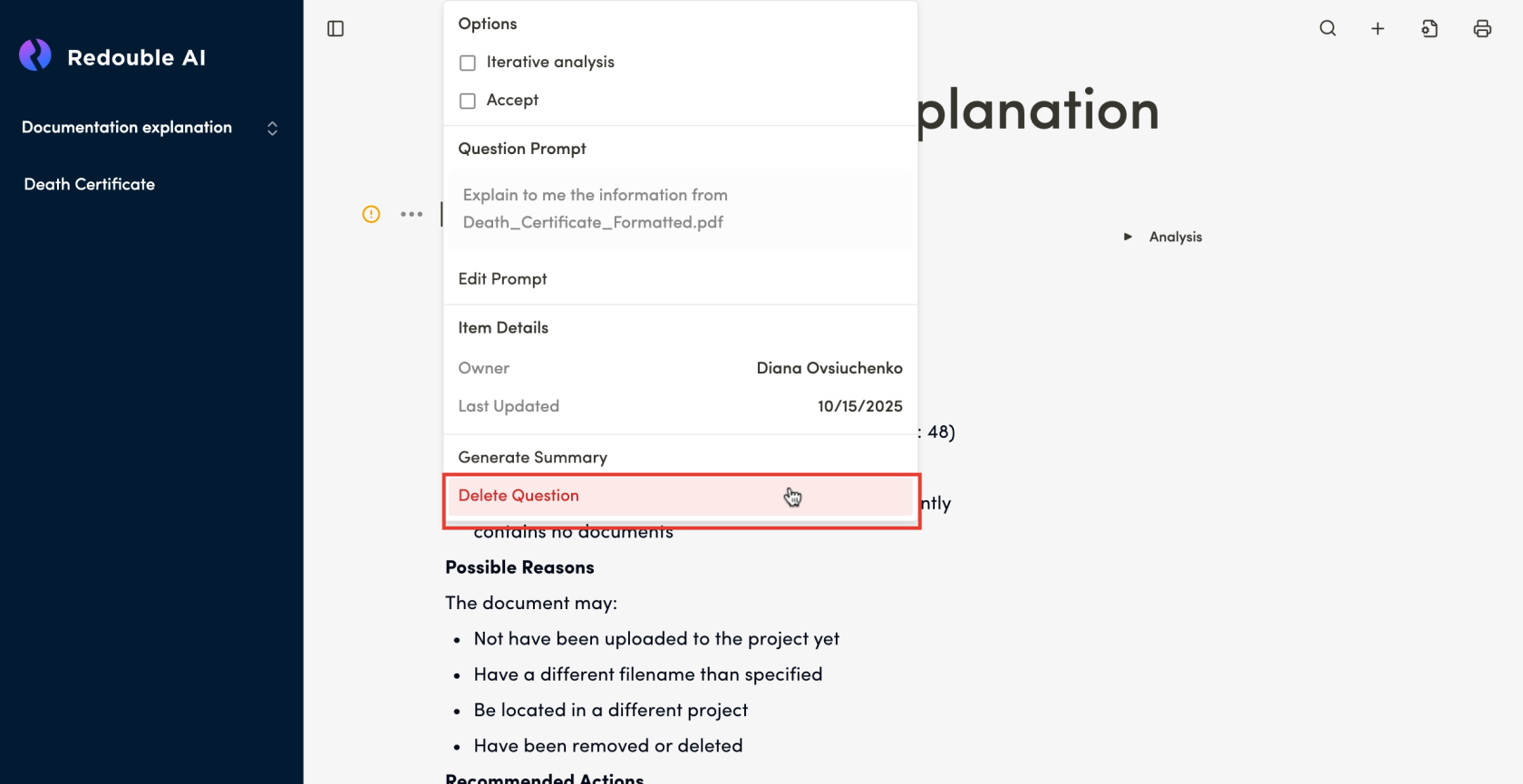
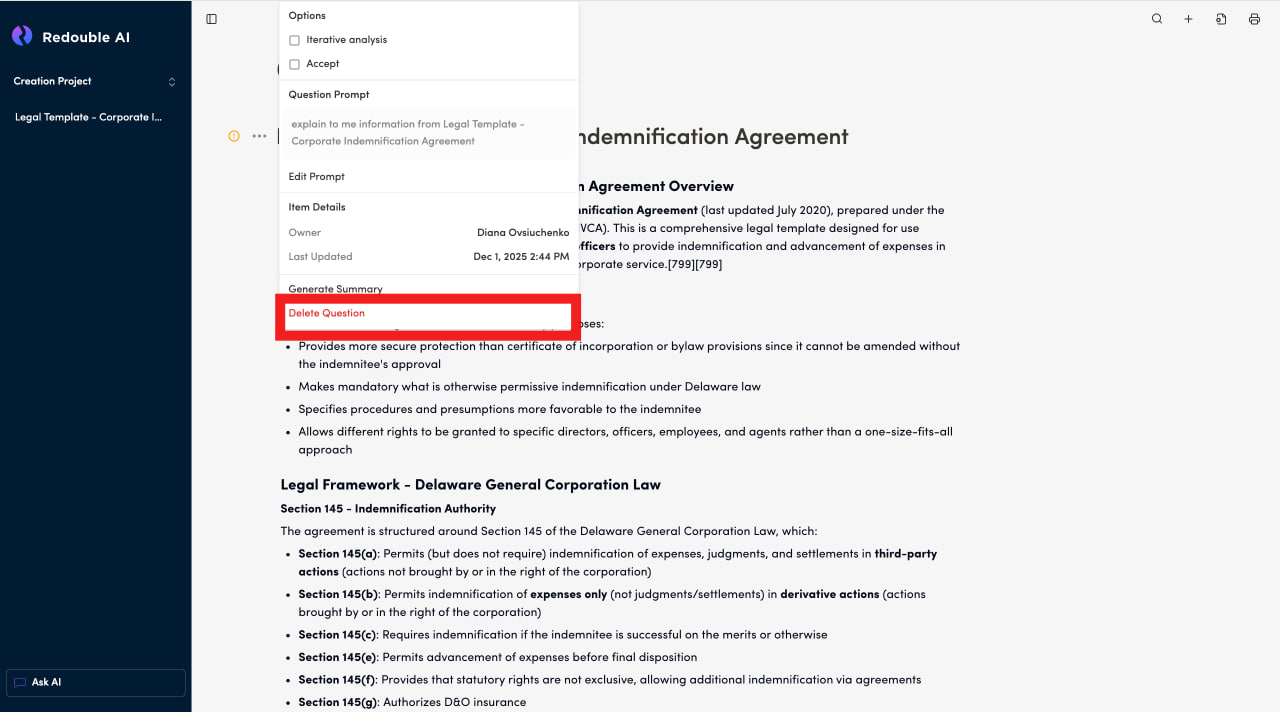
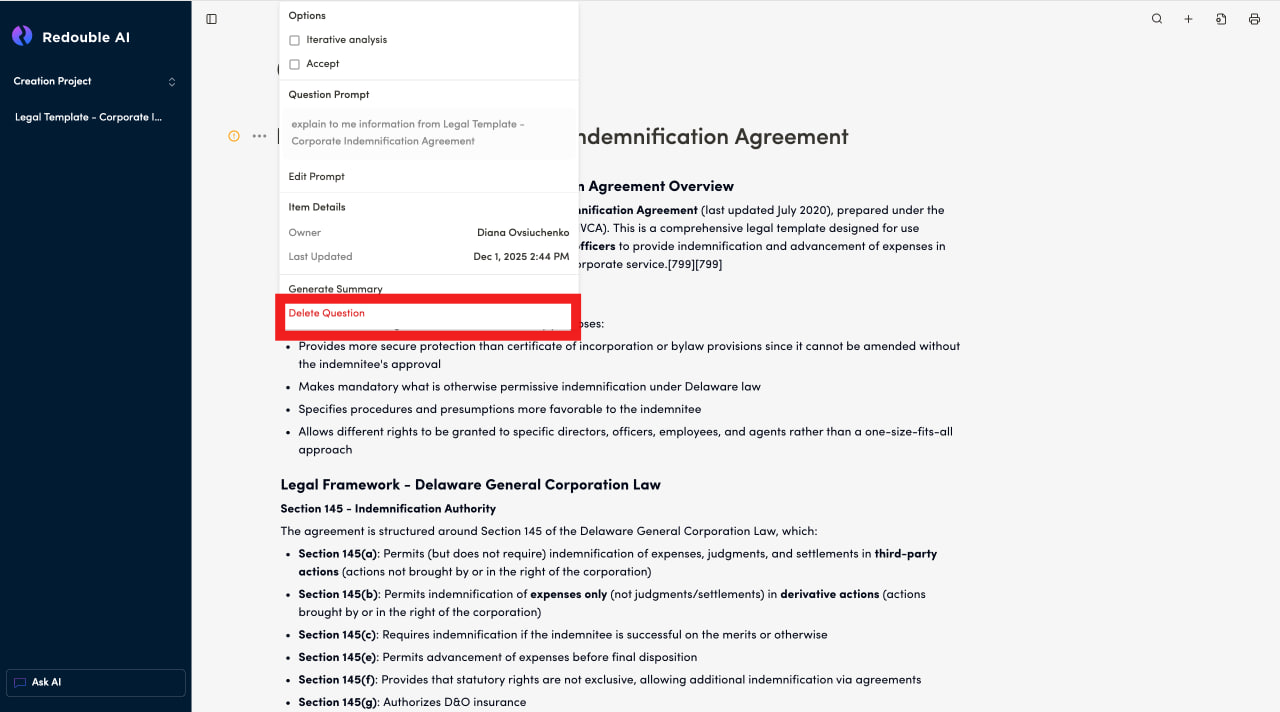
- In the context menu, click on "Delete Question"
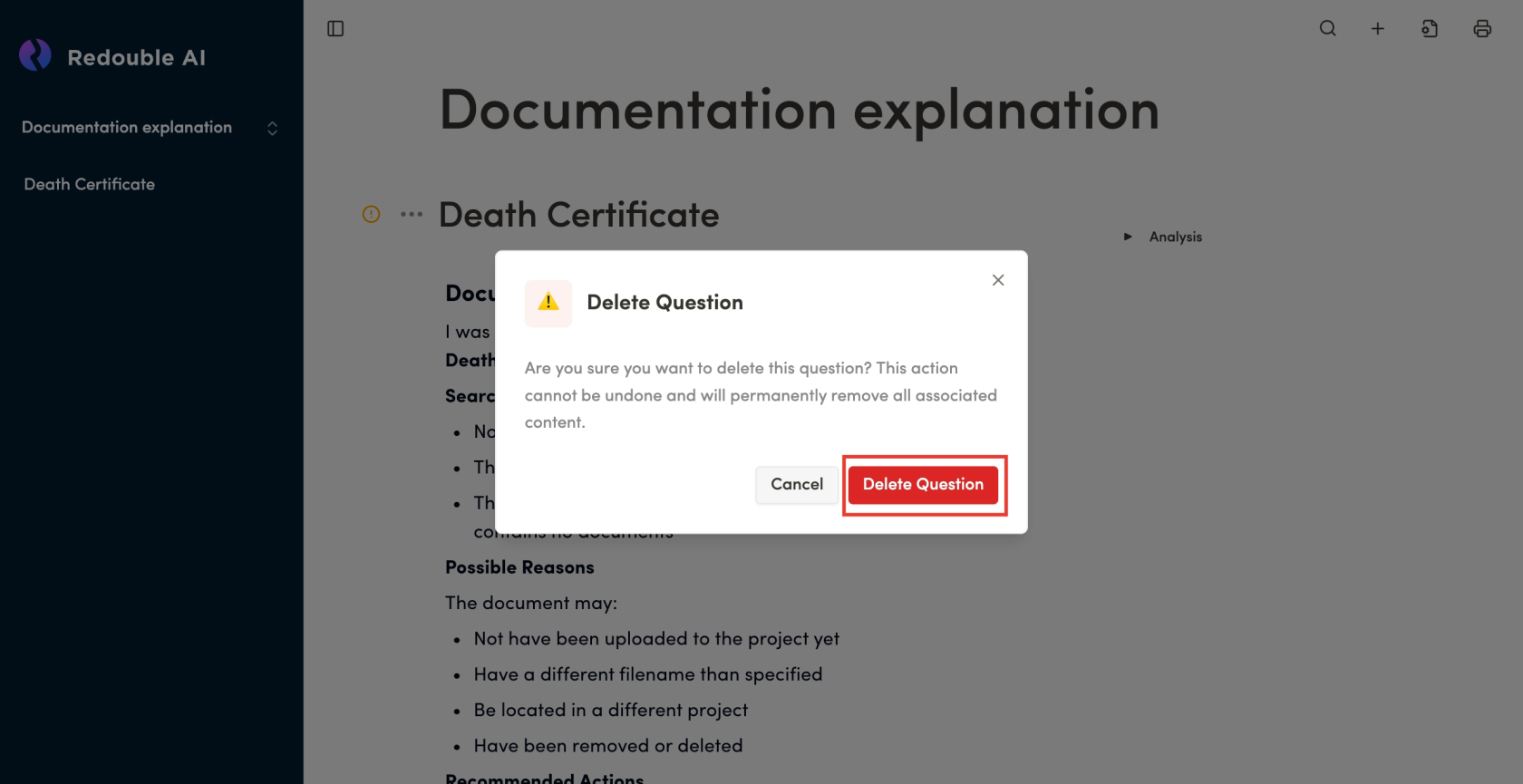
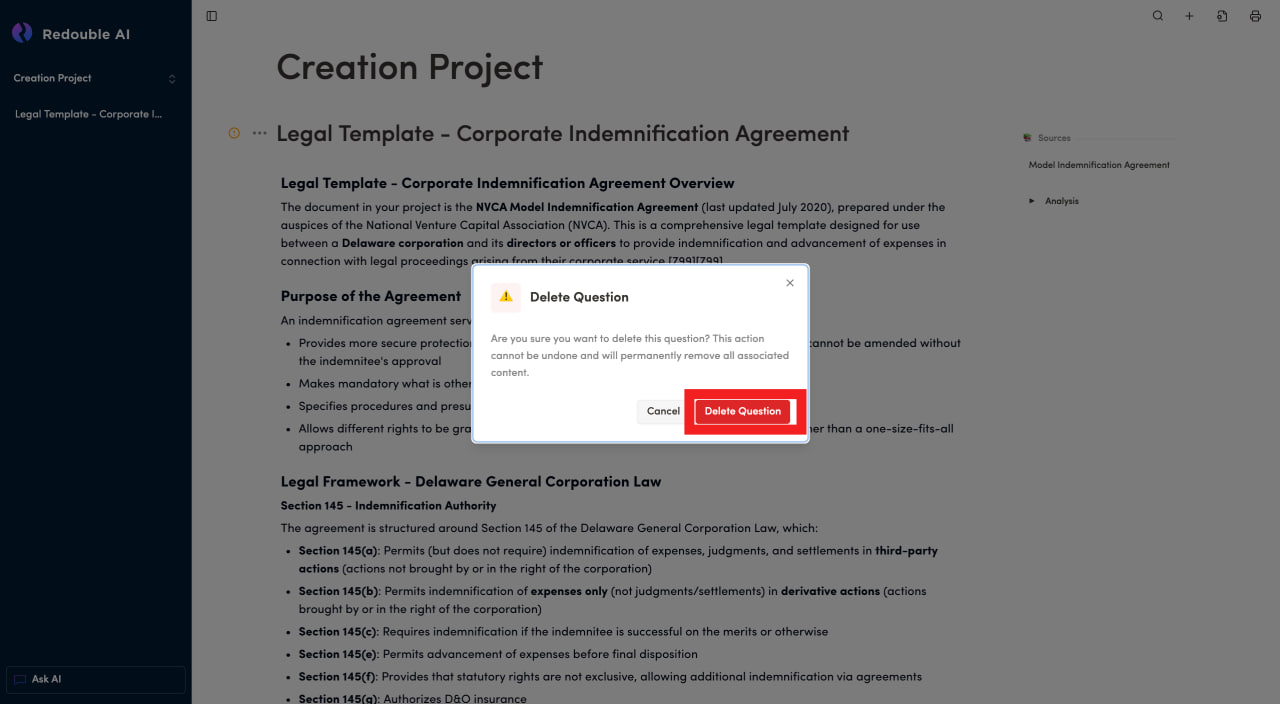
- Confirm that you would like to proceed with deleting the question in the dialog box
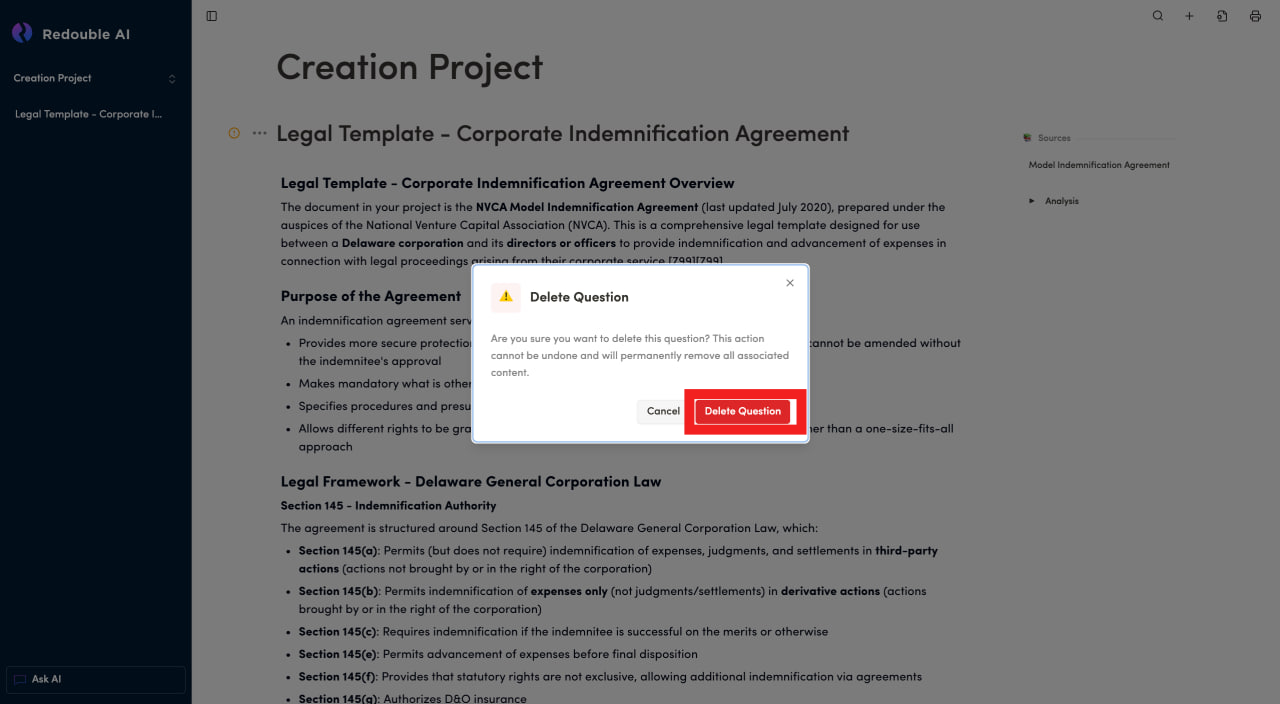
Result: The question is deleted from the project and is no longer displayed in the project dropdown list.