3.1 General
Preconditions:
- You are logged into the Redouble AI system
- You have at least one project
- Click on the "Document settings" icon
- Select "General" in "Workspace" list
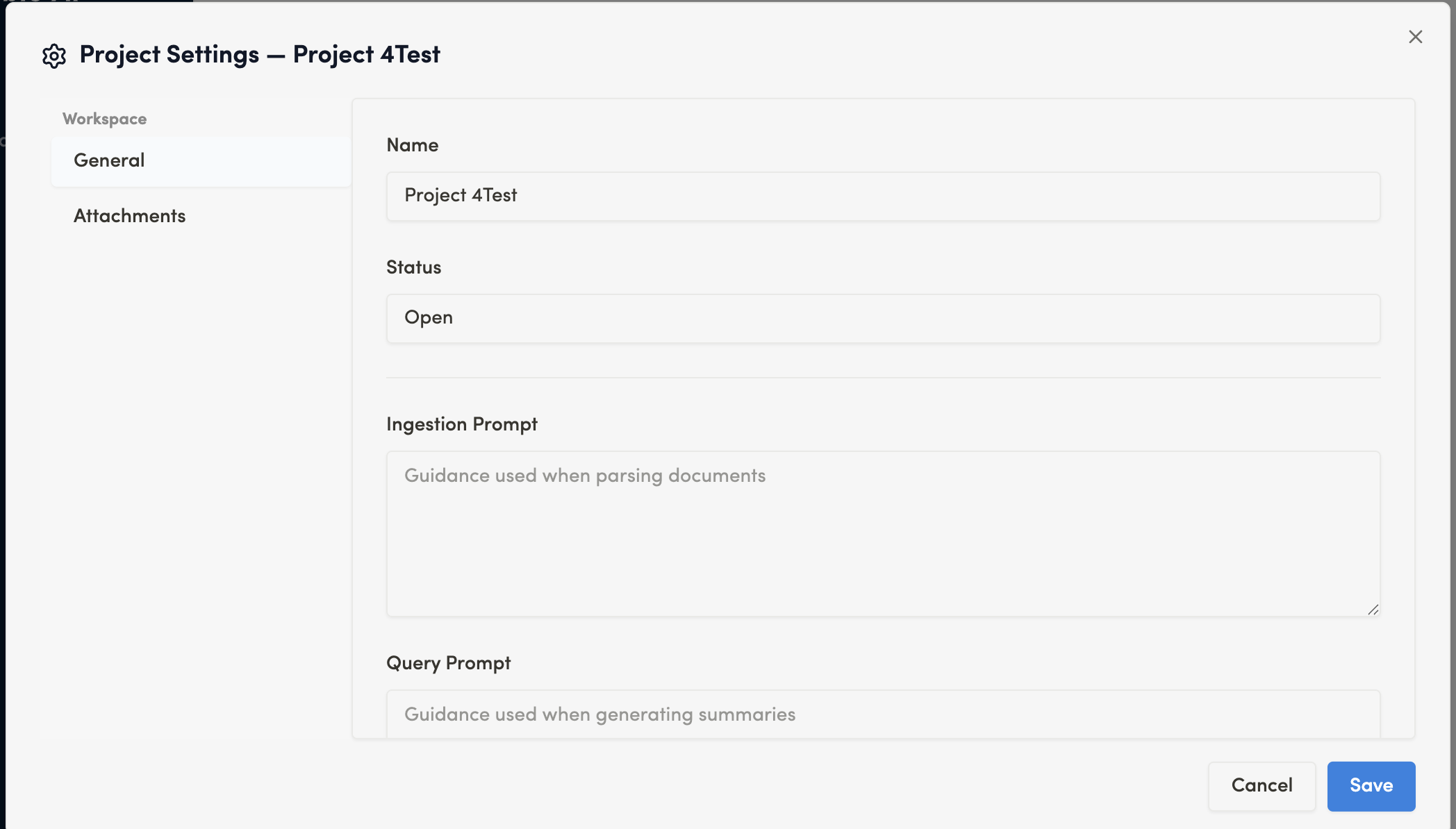
Name
Field Type: Text input
Purpose: Sets the project name for identification and organization
The project name helps you identify and organize multiple projects within your workspace. Choose a unique descriptive name that reflects the project's content or purpose.
Status
Field Type: Text input
Options: Open / Closed
Purpose: Indicates the active state of the project
- Open: The project is actively being worked on and available for document uploads and queries
- Closed: The project has been completed or archived (read-only state)
Ingestion Prompt
Field Type: Multi-line text area
Purpose: (?)
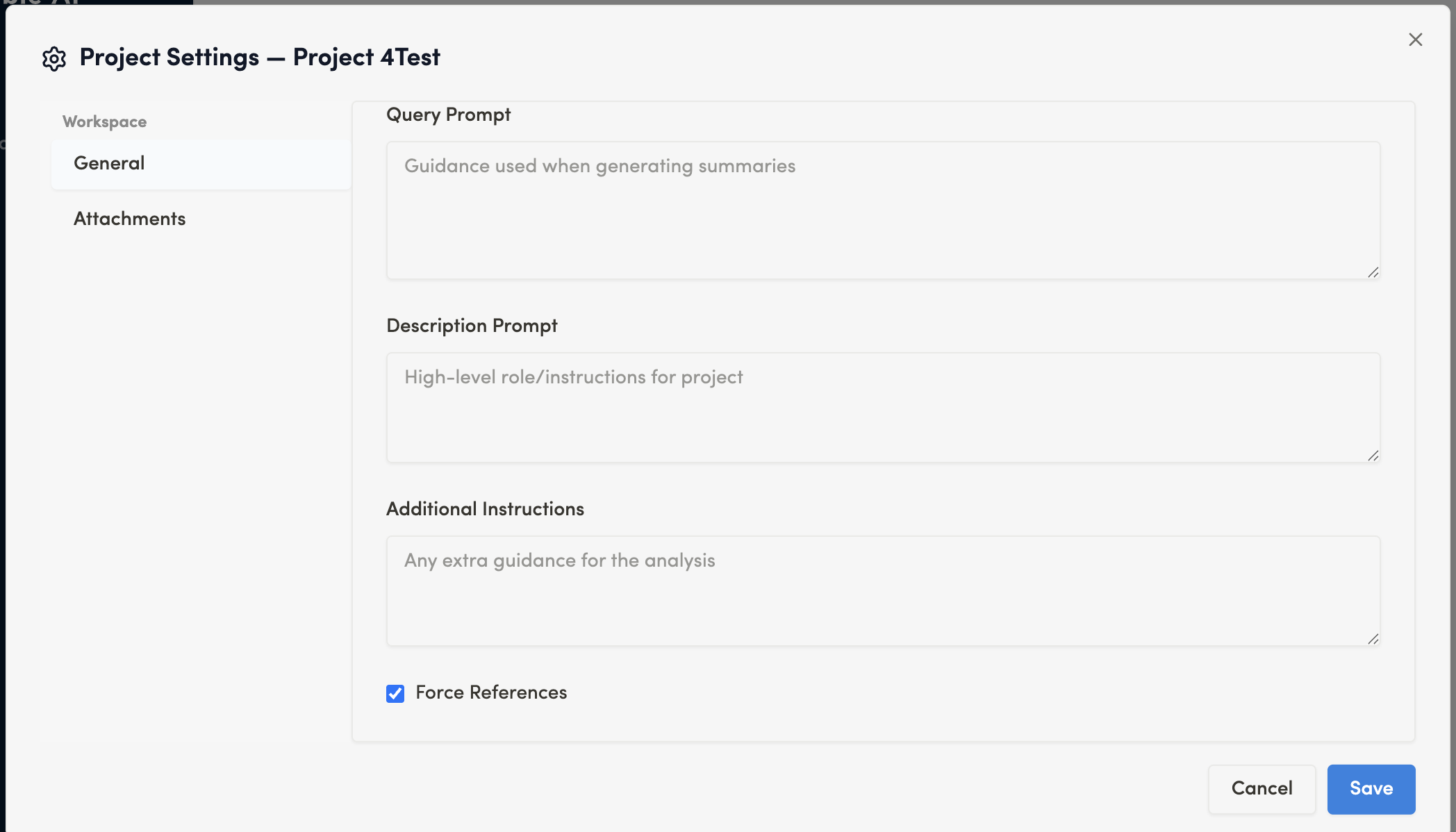
Query Prompt
Field Type: Multi-line text area
Purpose: (?)
Description Prompt
Field Type: Multi-line text area
Purpose: (?)
Additional Instructions
Field Type: Multi-line text area
Purpose: (?)
Force References
Field Type: Checkbox
Default State: Checked
Purpose: Ensures that AI responses relies on document sources previously uploaded into the project.