
5.1 View Attached Documents
Access: You can access Document Details panel from the Analysis or Sources section.
The Document Details View provides comprehensive information about uploaded documents, including metadata, parsing results, attachments, and version history.
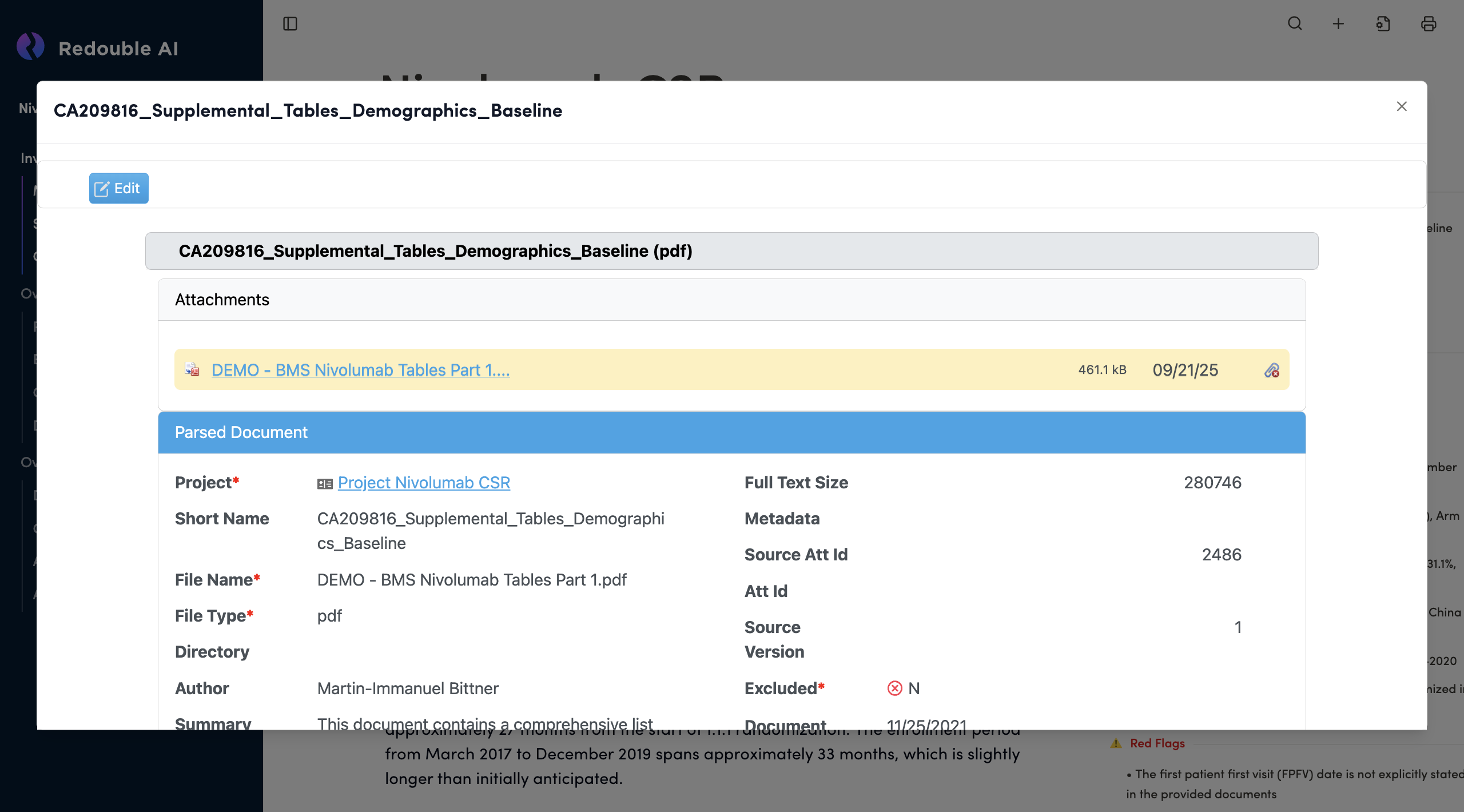
Panel Structure
Document Title Bar
- Displays the document name at the top
- Close Button (×): Located in the top-right corner to close the panel
- Edit Button: Blue button on the left to enable editing mode
Document Name Field Text input field (gray background). Displays document name with file format in parentheses Editable: Yes, when Edit mode is active
Attachments List Shows all files associated with this document entry.
File Entry Components:
- Available Actions:
- Download file
- Delete attachment
- View file properties
Section 3: Parsed Document
This section contains metadata extracted and generated during document processing.
Project* (Required Field)
Purpose: Shows which project this document belongs to. Navigates to the project
Short Name
Purpose: Brief identifier for quick document recognition
File Name* (Required Field)
Purpose: Original filename as uploaded
File Type* (Required Field)
Purpose: File format extension
Directory
Purpose: File path or folder location
Author
Purpose: Document creator or source organization
Full Text Size
Purpose: Size of extracted text content in characters
Metadata
Purpose: Groups additional metadata fields below
Source Att Id
Purpose: Unique identifier for the source attachment
Att Id
Purpose: Alternative attachment identifier
Source
Purpose: Source system or import identifier
Version
Purpose: Document version number
Excluded*
Purpose:
Document Date
Purpose:
Document Category
Purpose:
Summary
Purpose: Сoncise summary of the document's content
Facts
Purpose: List with a summary of the main points of the document
Full Text
Purpose: The full text of the document
Section 4: More Details
Blue collapsible section with "More Details" title. Click the hamburger menu icon (≡) on the right to toggle
Id* (Required)
Purpose: Unique system identifier for this document record
Created
Purpose: When the document record was created in the system
Last Updated
Purpose: Last modification date
Updates when:
- Metadata is edited
- Attachments are added/removed
- Document is reprocessed
Created By* (Required)
Purpose: User who created the document record
Comments
Purpose: Free-form notes about the document