
5.1 View Attached Documents
Access: You can access Document Details panel from the Analysis or Sources section.

The Document Details View provides comprehensive information about uploaded documents, including metadata, parsingprocessing results,status, attachments,AI-generated summary, and versiondetailed history.document analysis.
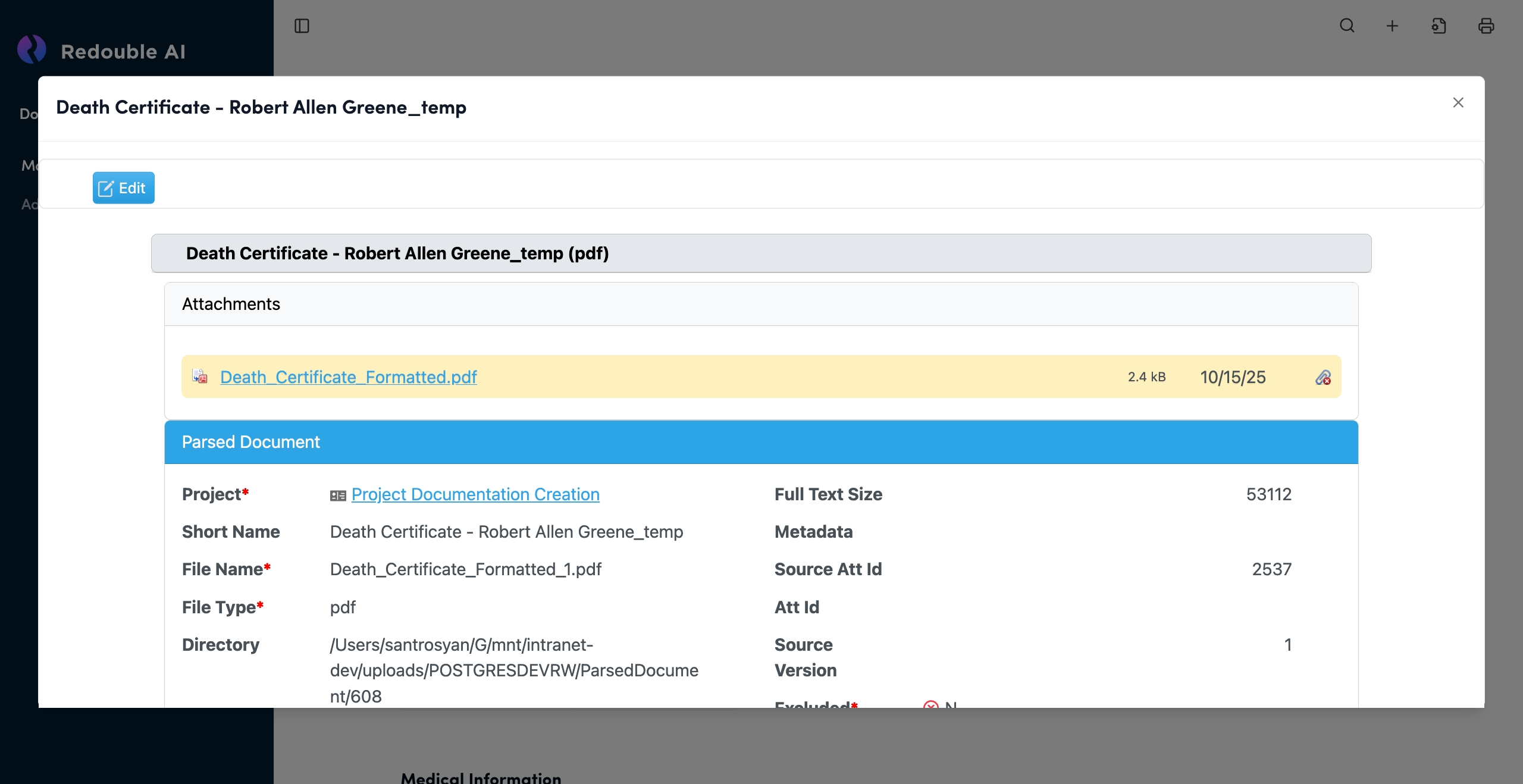
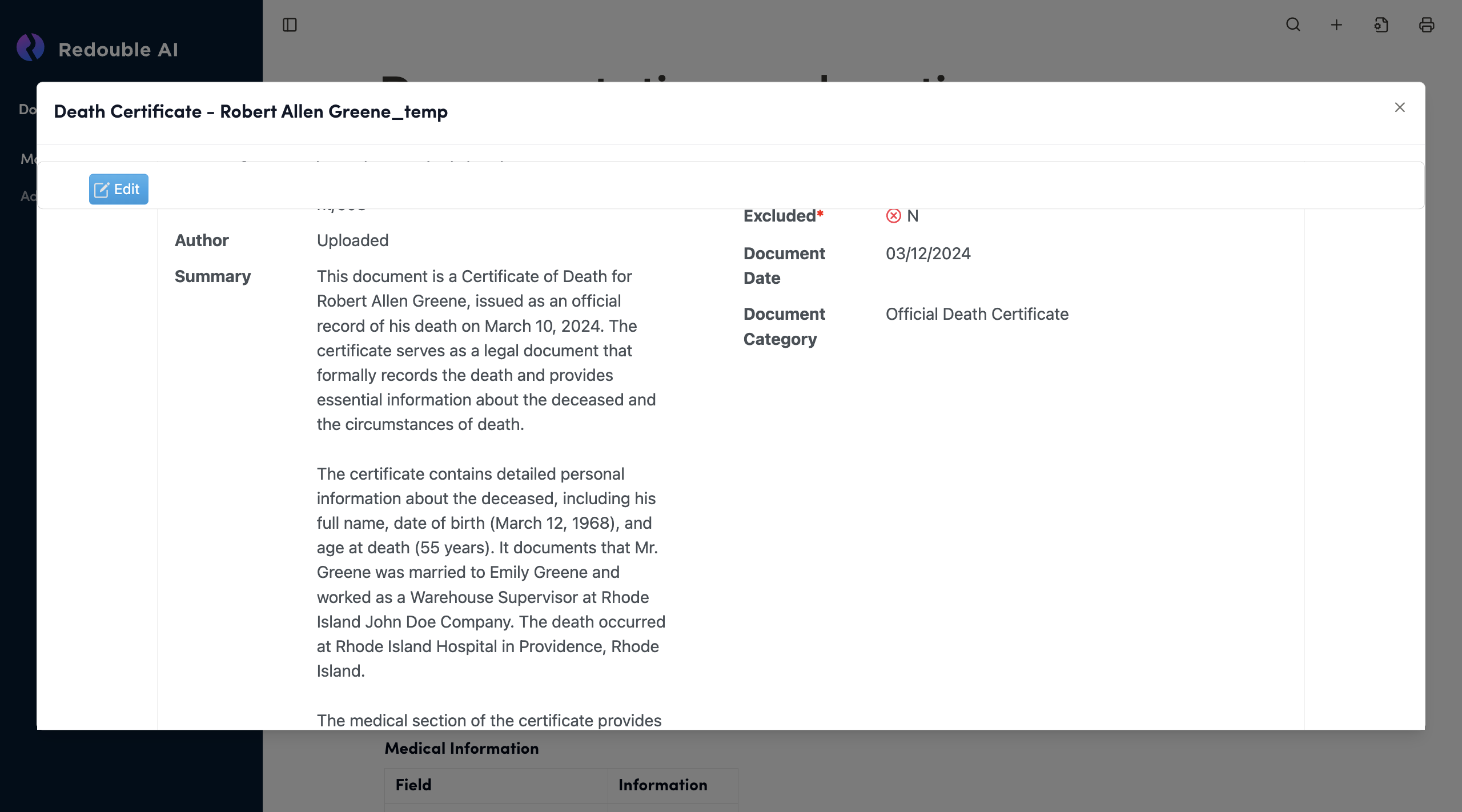
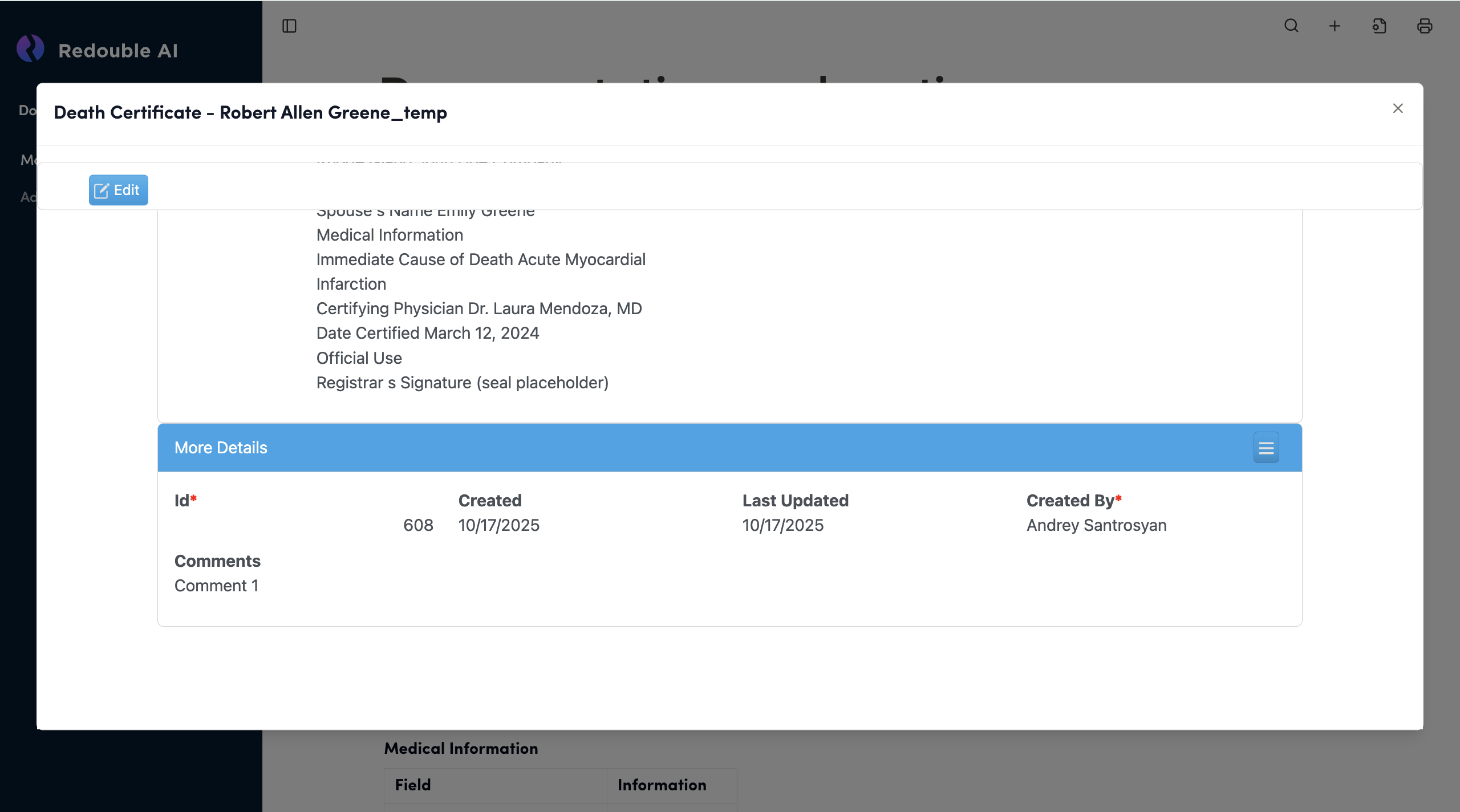
Panel Structure
Document Title Bar
- Displays the document name at the top of the panel
- Close Button (×): Located in the top-right corner to close the panel
Edit Button:Blue button on the left to enable editing mode
Document Name Field Text input field (gray background). Displays document name with file format in parentheses Editable: Yes, when Edit mode is active
Attachments List Shows all files associated with this document entry.
File Entry Components:
- Available Actions:
- Download file
- Delete attachment
- View file properties
Section: Parsed Document
This section contains metadata extracted and generated during document processing.
Project* (Required Field)
Purpose: Shows which project this document belongs to. Navigates to the project
Short Name
Purpose: Brief identifier for quick document recognition
File Name* (Required)
Purpose: Original filename as uploaded
File Type* (Required)
Purpose: File format extension
Directory
Purpose: File path or folder location
Author
Purpose: Document creator or source organization
Full Text Size
Purpose: Size of extracted text content in characters
Metadata
Purpose: Groups additional metadata fields below
Source Att Id
Purpose: Unique identifier for the source attachment
Att Id
Purpose: Alternative attachment identifier
Source
Purpose: Source system or import identifier
Version
Purpose: Document version number
Excluded*
Purpose: Indicates that a document is attached but manually excluded from AI processing and results.
Document Date
Purpose: Document creation date
Document Category
Purpose: Document type/classification.
Summary
Purpose: Сoncise summary of the document's content
Facts
Purpose: List with a summary of the main points of the document
Full Text
Purpose: The full text of the document
Section: More Details
Blue collapsible section with "More Details" title. Click the hamburger menu icon (≡) on the right to toggle
Id* (Required)
Purpose: Unique system identifier for this document record
Created
Purpose: When the document record was created in the system
Last Updated
Purpose: Last modification date
Updates when:
- Metadata is edited
- Attachments are added/removed
- Document is reprocessed
Created By* (Required)
Purpose: User who created the document record
Comments
Purpose: Free-form notes about the document