3.1 General
Preconditions:
- You are logged into the Redouble AI system
- You have at least one project
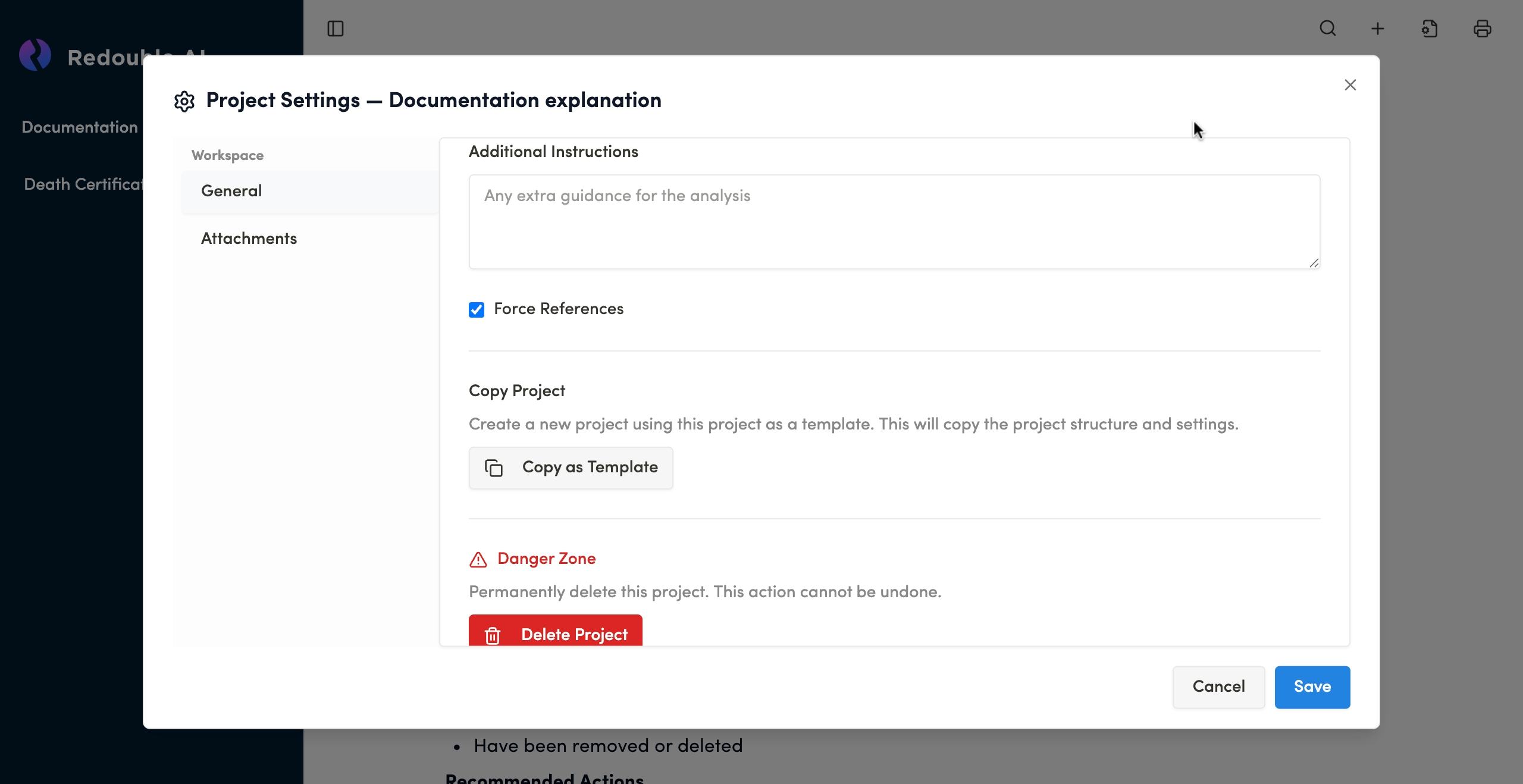
- Click on the "Document settings" icon
- Select "General" in "Workspace" list
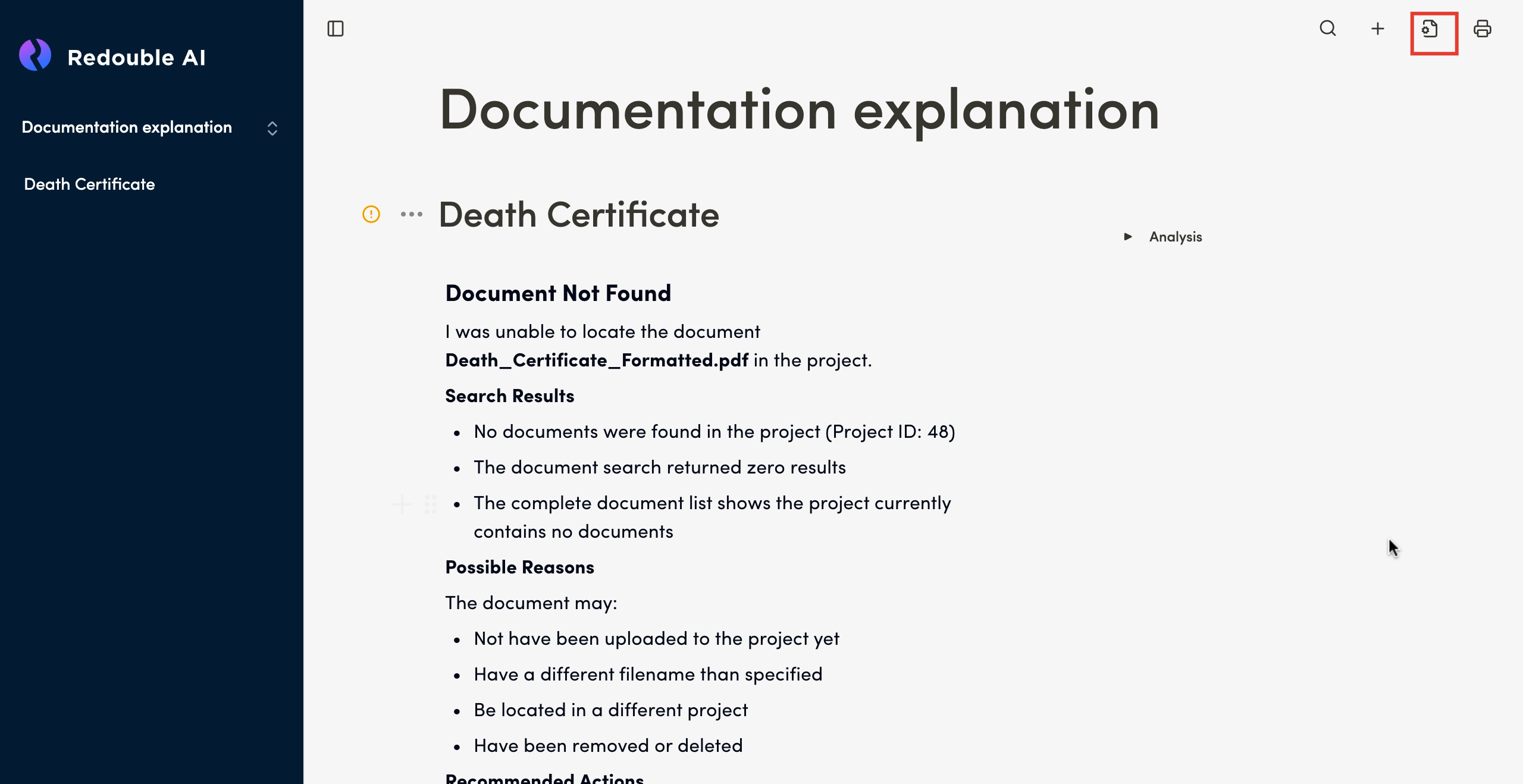
Name
Field Type: Text input
Purpose: Sets the project name for identification and organization
The project name helps you identify and organize multiple projects within your workspace. Choose a unique descriptive name that reflects the project's content or purpose.
Status
Field Type: Text input
Options: Open / Closed
Purpose: Indicates the active state of the project
- Open: The project is actively being worked on and available for document uploads and queries
- Closed: The project has been completed or archived (read-only state)
Ingestion Prompt
Field Type: Multi-line text area
Purpose: (?)
Query Prompt
Field Type: Multi-line text area
Purpose: (?)
Description Prompt
Field Type: Multi-line text area
Purpose: (?)
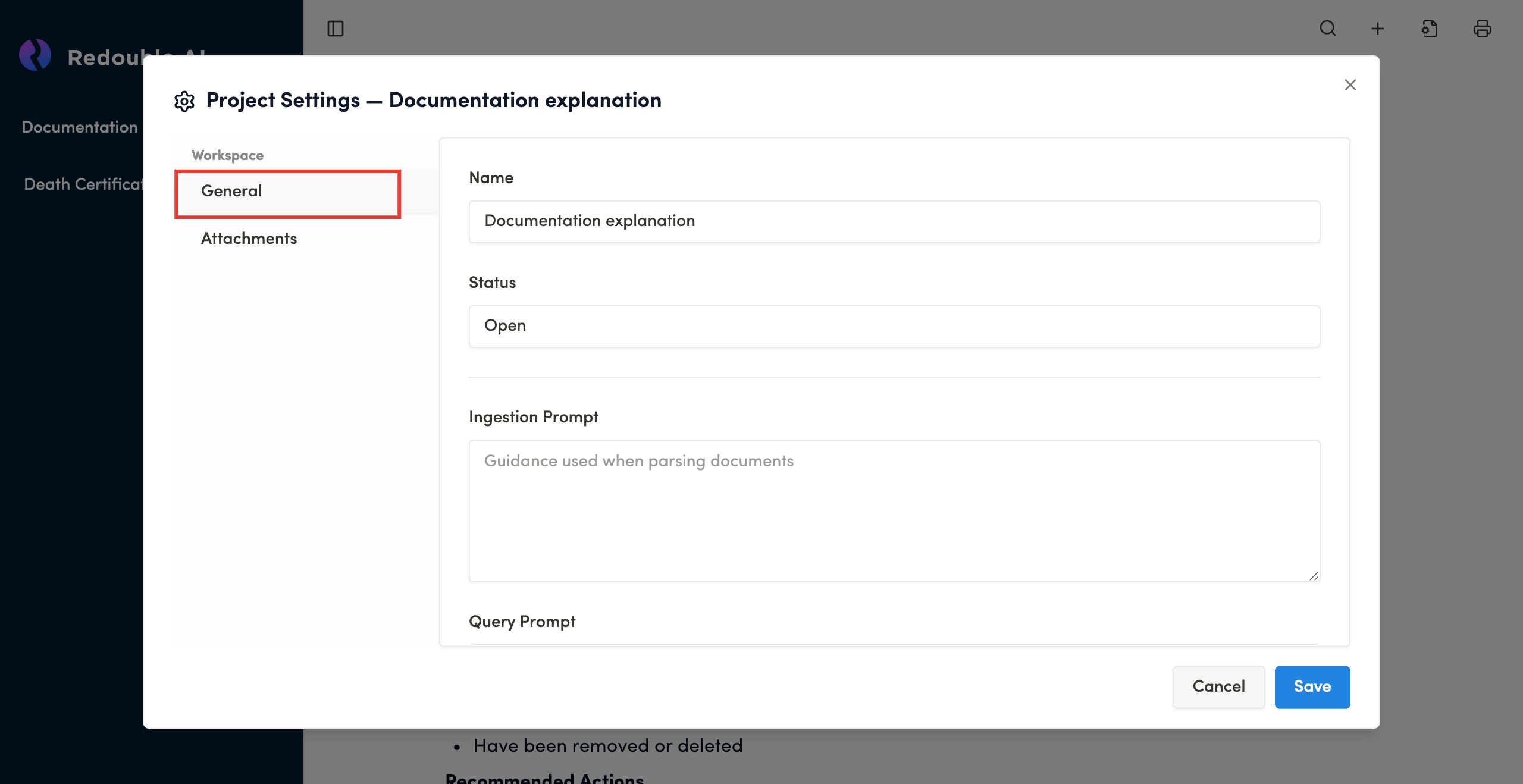
Additional Instructions
Field Type: Multi-line text area
Purpose: (?)
Force References
Field Type: Checkbox
Default State: Checked
Purpose: Ensures that AI responses relies on document sources previously uploaded into the project.
Copy Project
For more detailed information view 1.6 Copy Project
Delete Project
For more detailed information view 1.5 Deleting the project